OverTheWire Natas: Levels 0–5
Natas is OverTheWire’s introduction to server-side web security, and I wanted to treat it as more than a checklist of passwords. My goal going in was to build a repeatable mental model for how I approach a web target: what I look at first, what assumptions I test, and why each vulnerability exists rather than just which payload happens to work. These first six levels are deliberately gentle, so I used them to lock in the habits I’d lean on for the harder ones later — read everything, trust nothing the client hands the server, and always ask “where could information be leaking that the page doesn’t mean to show me?”
Level 0 — View Source
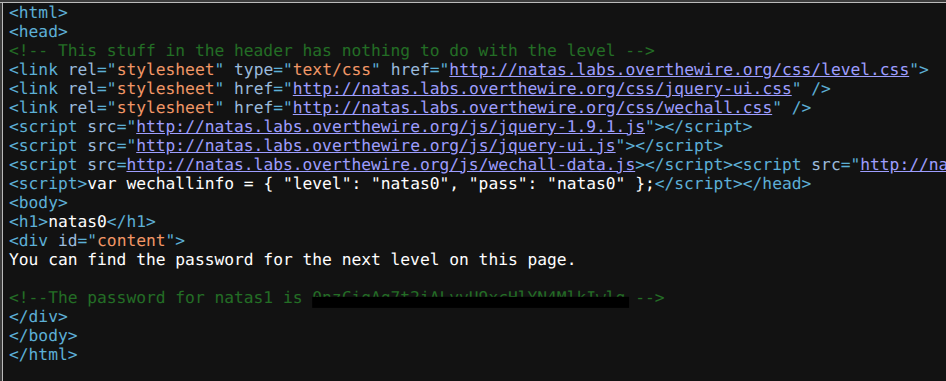
I found the first level of Natas to be a straightforward introduction, but I still made a point of approaching it the way I’d approach any unfamiliar page: assume the thing I’m looking for is present but not presented. The rendered page showed nothing useful, which immediately told me to stop looking at what the browser chose to draw and start looking at what the server actually sent.
That distinction — rendered output versus raw response — is the single most important habit in web hacking, so it’s fitting that it’s literally Level 0. By pressing Ctrl+U to view the page source, I found the password sitting in an HTML comment at the bottom of the file. Comments are invisible in the rendered page but ship to the client in full, which makes them a perfect example of the gap between what a developer thinks is hidden and what’s actually exposed.
Level 1 — No Right Click
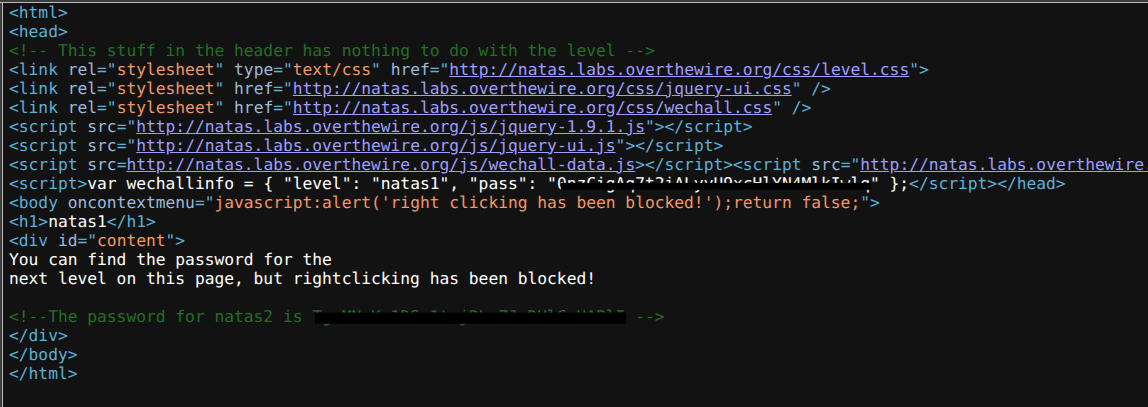
This level felt identical to the first, but with a minor hurdle: the developer added a JavaScript snippet that disables the right-click context menu, presumably to stop people from reaching “View Source.” What interested me here wasn’t the bypass — it was the category of mistake. This is my first encounter in Natas with a client-side control, and the mental note I made is the one that pays off again and again later: anything enforced in the browser is enforced on my machine, which means it’s advisory at best. The server never sees, and never relies on, that right-click handler.
So rather than fight the JavaScript on its own terms, I sidestepped the whole mechanism. Ctrl+U asks the browser for the source directly without ever invoking the context menu, so the disabled right-click was irrelevant. The password was waiting in another HTML comment, just like before — which reinforced the lesson that the “protection” never actually changed what the server delivered.
Level 2 — Information Leakage
The main page for Level 2 claimed there was “nothing on this page,” and my first look at the source didn’t hand me a password. This is where my process had to shift from “find the hidden text” to “find the hidden structure.” A page is never truly empty — it still references assets, and those references leak the shape of the server’s filesystem. Scanning the source, I noticed an image tag pointing to files/pixel.png.
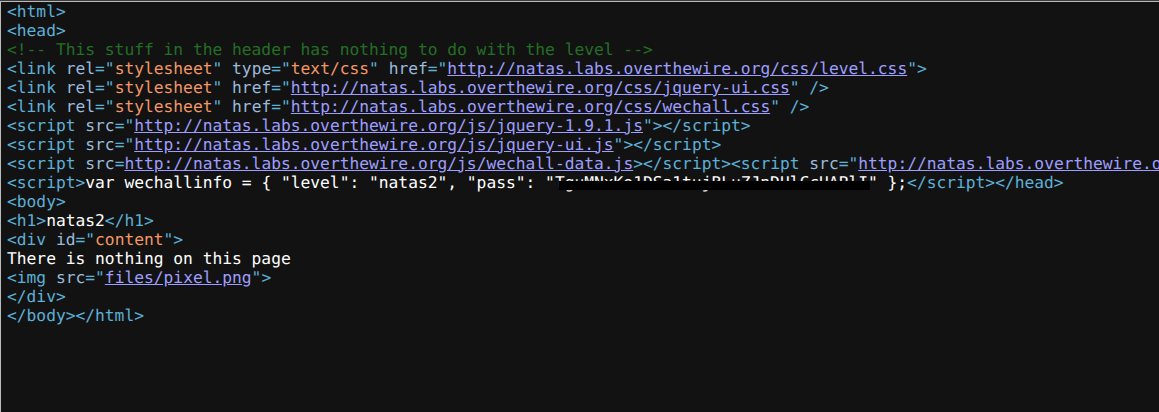
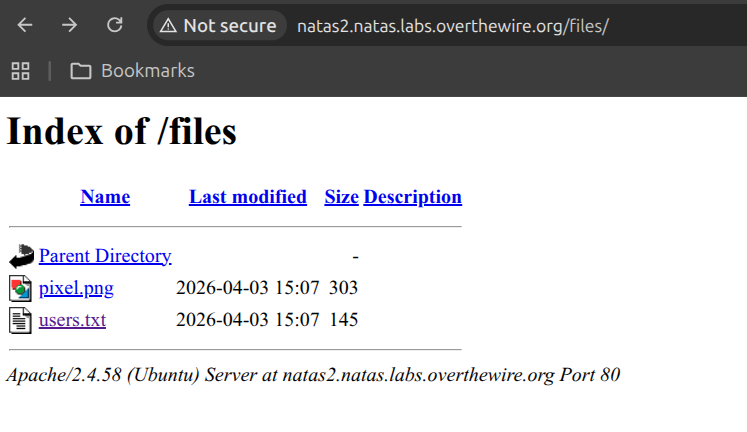
That single path was the clue. My reasoning was that if the page loads an image out of a files/ directory, then files/ exists on the server — and the interesting question becomes whether the server lets me browse it rather than just request known files inside it. I did briefly inspect pixel.png itself first, on the theory that the password might be steganographically tucked into the image, but it was a one-pixel placeholder with nothing to enhance, so I moved on to the directory itself. I navigated directly to http://natas2.natas.labs.overthewire.org/files/ and, sure enough, the server returned a full directory listing — a misconfiguration where directory indexing is left enabled.
The whole chain from “empty” page to password looked like this:
flowchart LR
  A["'Empty' page"] --> B["View source:<br>img → files/pixel.png"]
  B --> C["Browse /files/<br>(directory indexing on)"]
  C --> D["users.txt"]
  D --> E["natas3 password"]

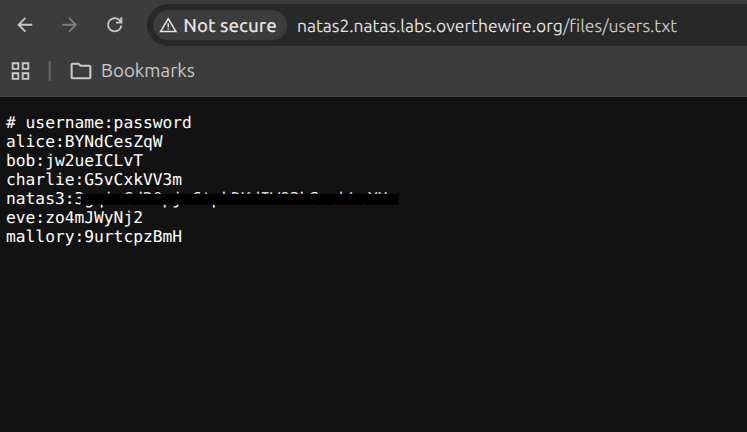
In that directory, I found a file named users.txt. Opening it revealed a list of usernames and passwords, including the one for natas3.
Level 3 — Robots.txt
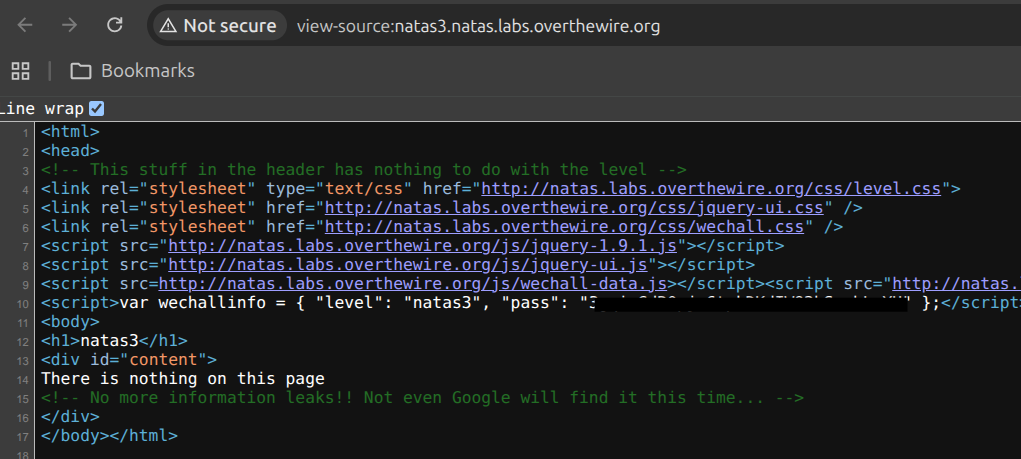
Similar to Level 2, the page was empty and the source gave me nothing — but this time there was no convenient files/ reference to follow. That forced me to think about where else a server volunteers information about its own structure without meaning to. My train of thought went to crawlers: how does Google know which parts of a site to stay out of? The answer is robots.txt, a file that exists specifically to enumerate the paths an owner doesn’t want indexed.
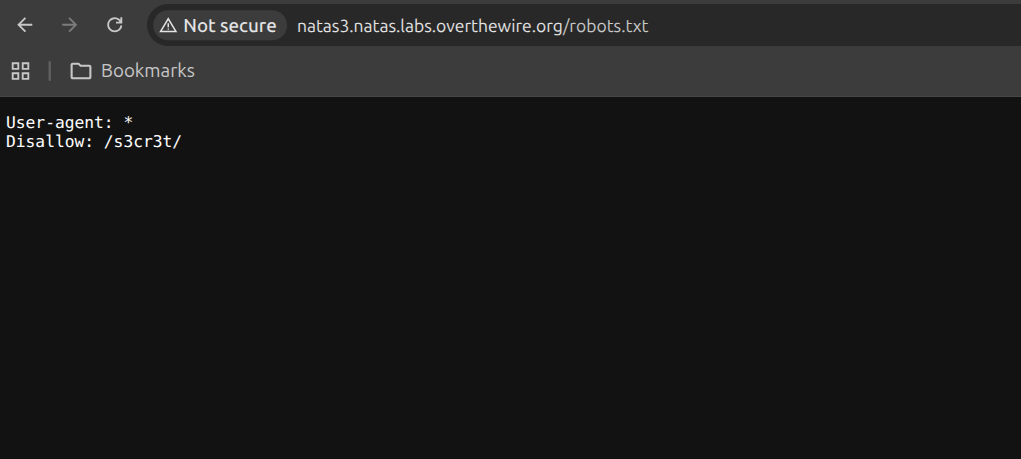
That’s the irony I leaned on here. robots.txt is meant to hide directories from search engines, but in doing so it publishes a tidy list of the exact paths someone considered sensitive enough to keep out of the index — which is a gift to an attacker. I navigated to /robots.txt and found a Disallow entry for a directory named /s3cr3t/. The naming alone told me I was on the right track.
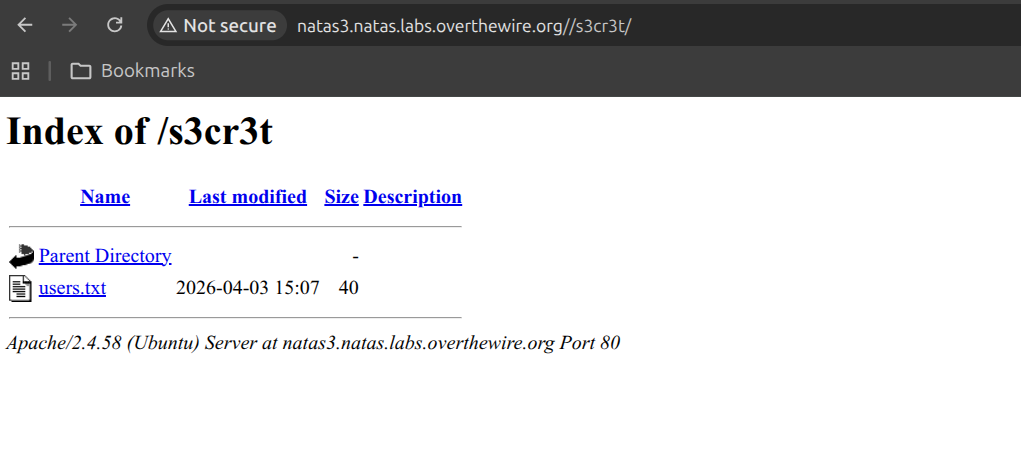
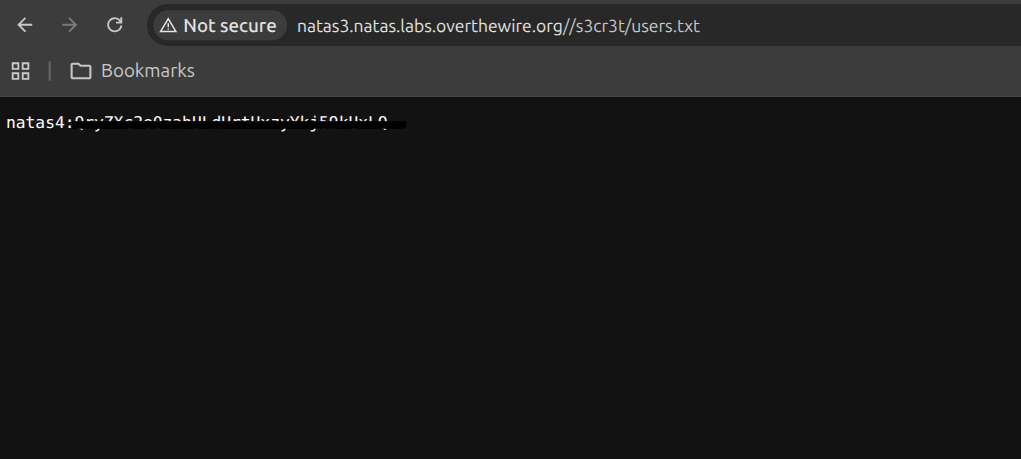
I followed that path to another directory listing with a users.txt file, which contained the password for natas4.
Level 4 — Referer Header
This level was my first taste of the idea that the request is just as malleable as the page, and it nudged my mental model past “read what the server sends” toward “control what I send the server.” The error message itself was the tell: it explicitly stated the server was reading a Referer header and comparing it against the natas5 URL. The moment a server’s access decision depends on a value the client supplies, I know that value is forgeable — browsers set Referer automatically, but nothing forces me to.
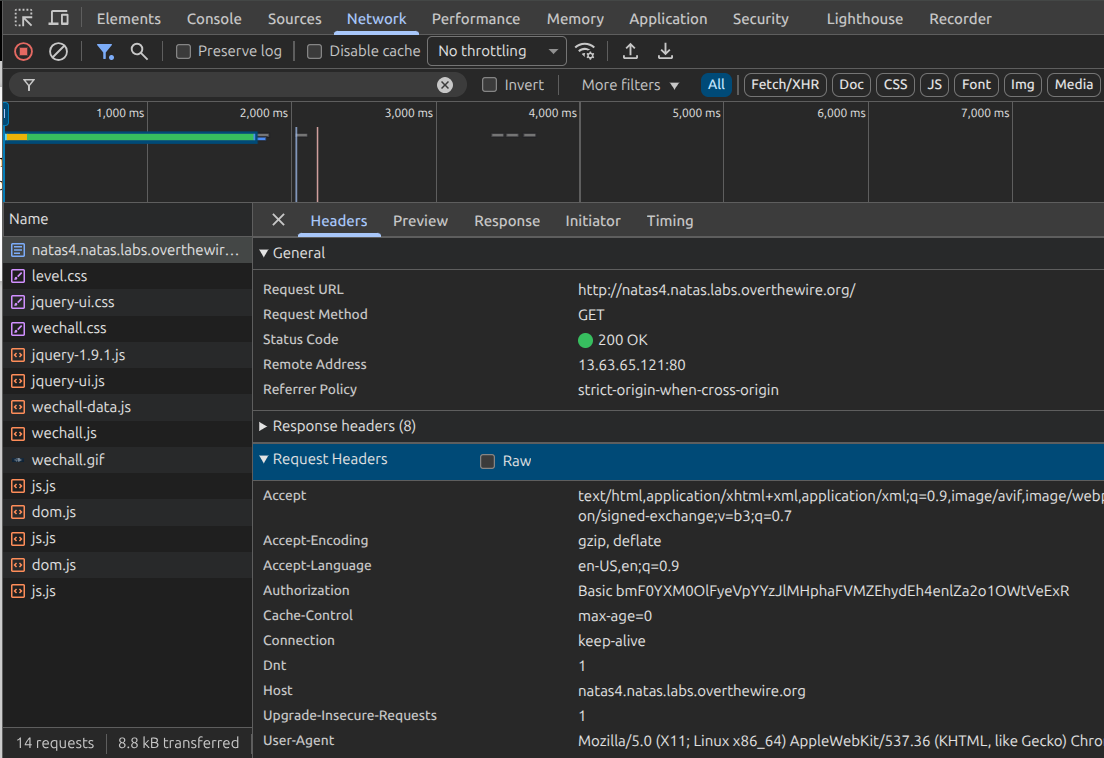
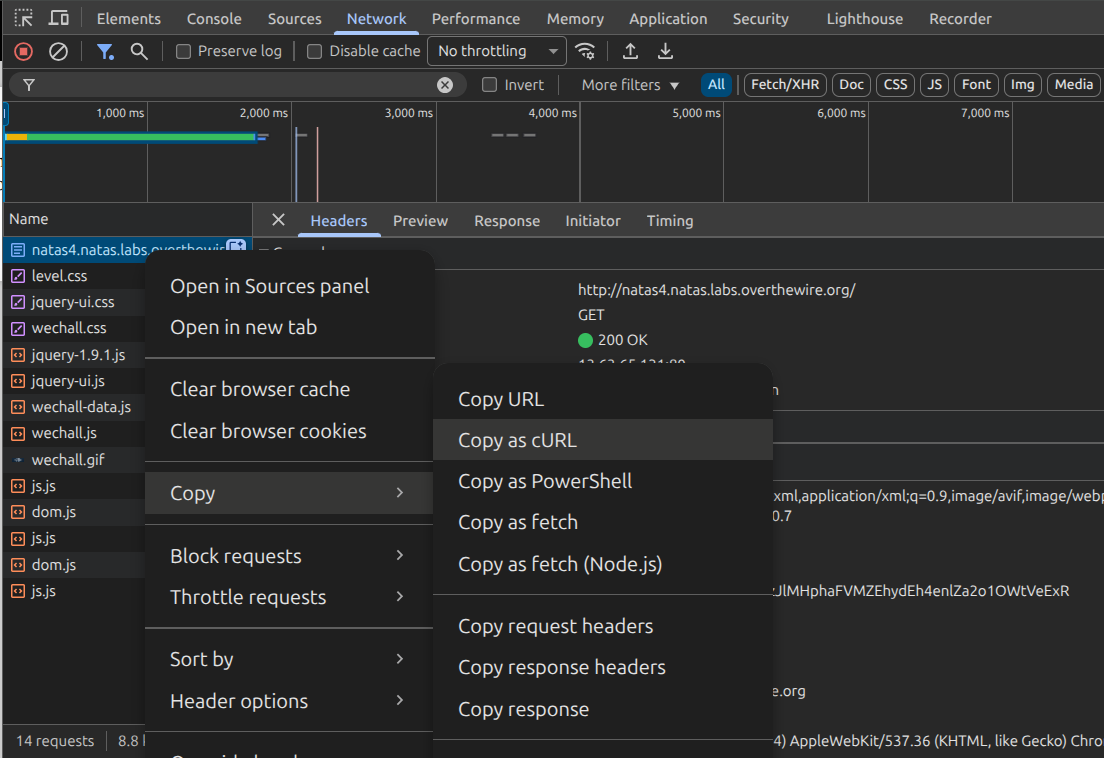
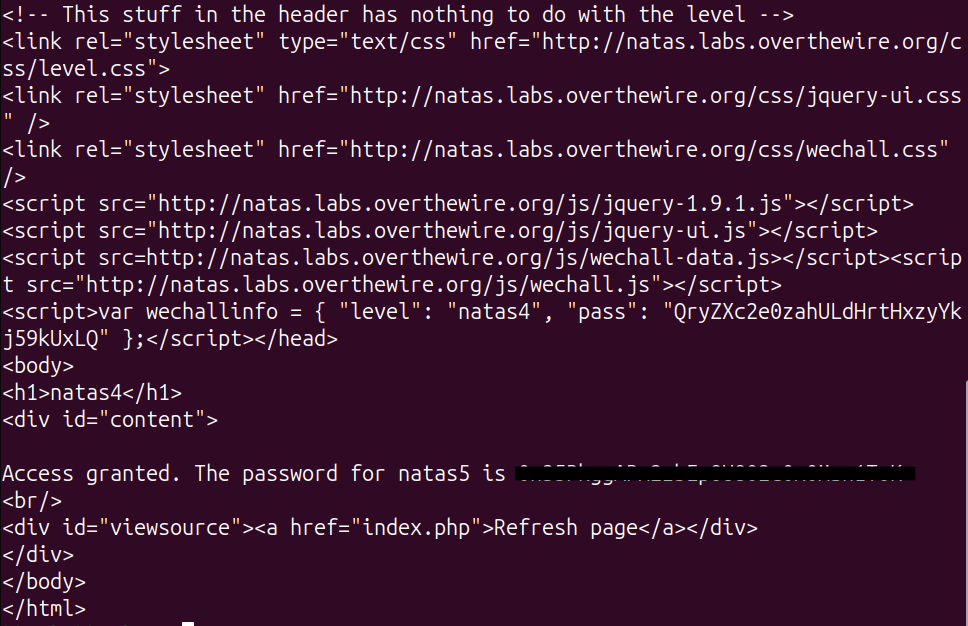
The conceptual mistake here is treating Referer as a security boundary. It was designed as a convenience for analytics and navigation, not as proof of where a request “really” came from, and it lives entirely under the client’s control. To exploit that, I used Chrome’s devtools to copy the request as a curl command and then simply added the Referer header the server wanted: http://natas5.natas.labs.overthewire.org/. Reaching for curl instead of the browser was deliberate — once I’m crafting headers by hand, the browser’s automatic behavior stops getting in my way and I have exact control over every byte of the request.
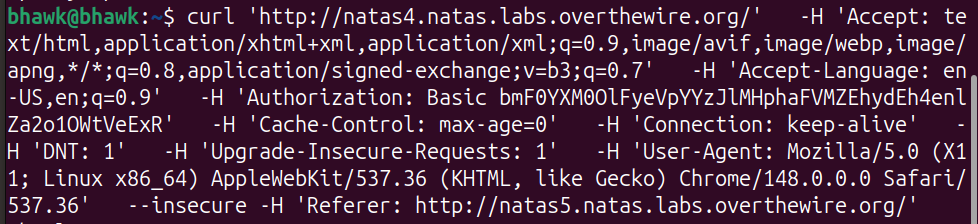
Once I modified the header and sent the request, the server granted me access and displayed the password for natas5.
Level 5 — Cookies
By this point a pattern had clicked for me, and Level 5 was the confirmation. Level 4 taught me that a client-supplied header can’t be trusted as a security check; Level 5 is the exact same lesson wearing a different hat — this time the trusted-but-forgeable value is a cookie. The “Access disallowed. You are not logged in” message told me the server was making an authorization decision, and my first question was simply: where is that decision stored, and can I reach it?
I opened devtools under the Application tab and found a cookie named loggedin set to 0. That’s the whole vulnerability in one value: the server delegated its notion of “is this user authenticated” to a flag that lives in my browser, where I have full read/write access.
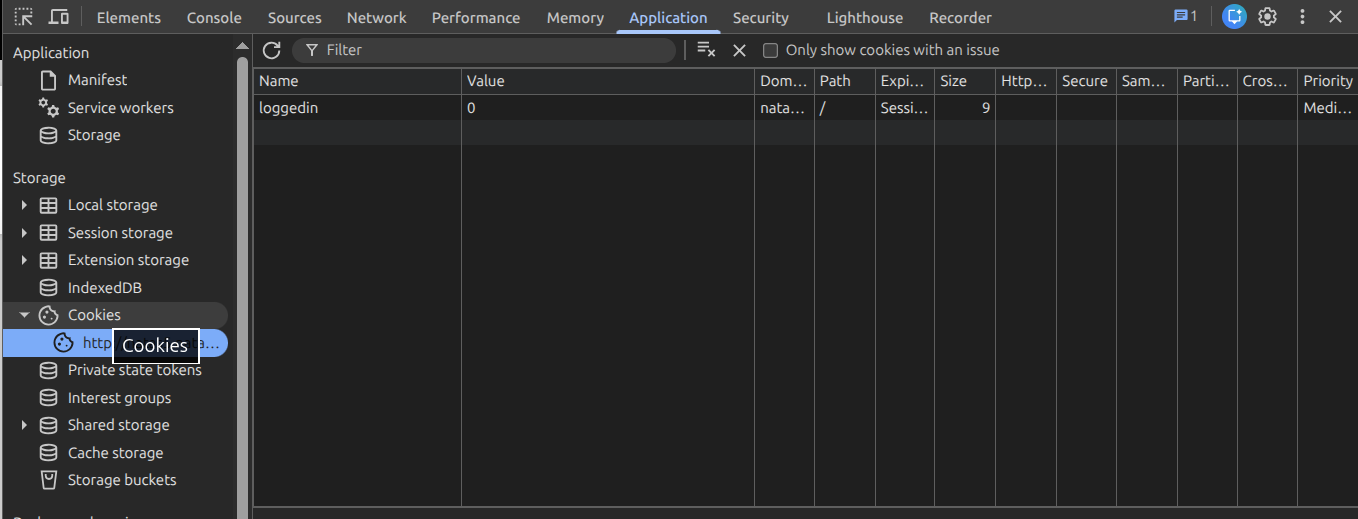
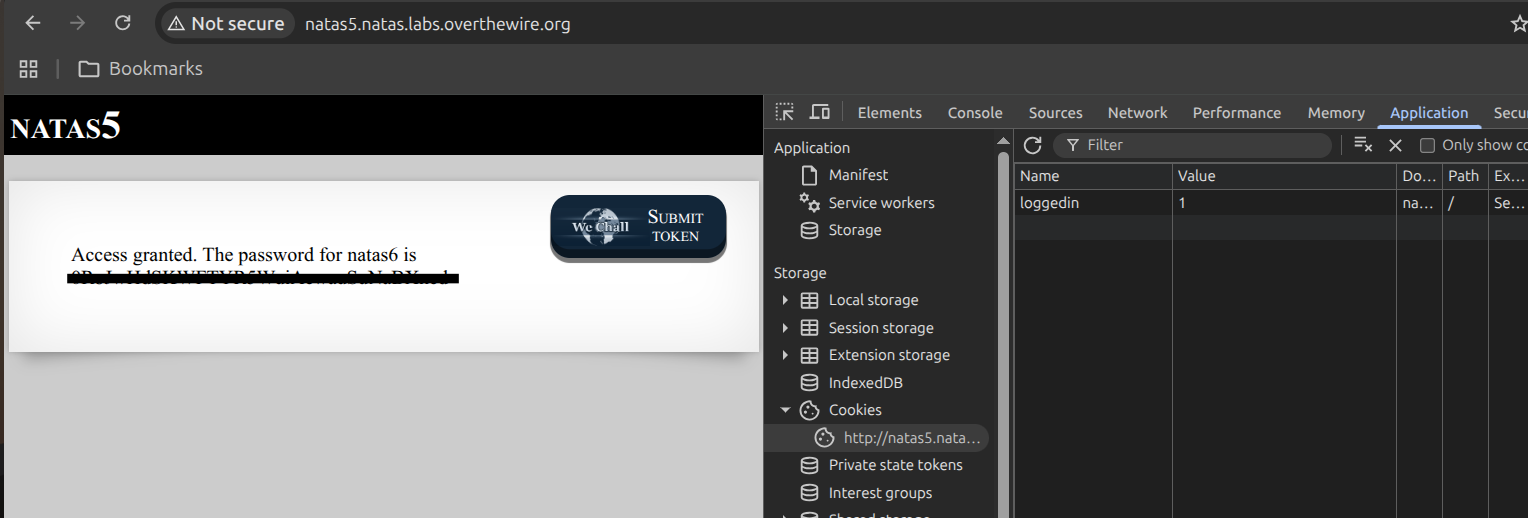
So I changed loggedin from 0 to 1 and refreshed. The server read my edited cookie back, treated it as gospel, and handed over the password for natas6. The takeaway I carried forward is that authentication state belongs on the server — the client should only ever hold an opaque token the server can validate, never the decision itself.
These first levels were all variations on the same theme — not trusting what the client hands the server. Next I get into where the bugs turn more hands-on, in Natas: Levels 6–11.